Preview



Description
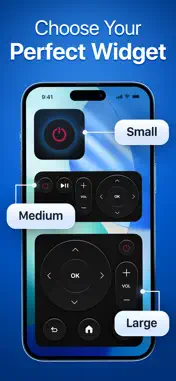
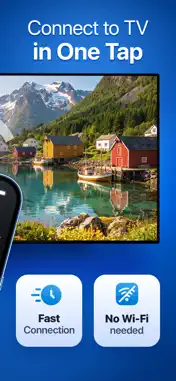
Widget Remote for TV is a TV widget app that helps you keep useful TV actions and shortcuts right on your iPhone Home Screen. Add customizable widgets for faster access to TV features without opening the app every time. Create a TV setup that fits naturally into your iPhone Home Screen and keeps the actions you use within easy reach. KEY FEATURES • TV Widgets — add convenient TV widgets directly to your iPhone Home Screen for quick access to supported TV actions. • Customizable Home Screen — choose and arrange widgets to create a TV setup that works for you. • Quick Access — reach frequently used TV features directly from your Home Screen without navigating through the app each time. • Multiple Widget Options — choose from available widget layouts and functions to personalize your experience. • Cast Photos & Videos — share personal photos and videos from your iPhone on the big screen. • Easy TV Connection — connect your iPhone and compatible Smart TV over the same Wi-Fi network. HOW DO TV WIDGETS WORK? Open Widget Remote for TV, connect your compatible TV, and add the available widgets to your iPhone Home Screen. Your TV features are then easier to access whenever you need them. WHO ARE TV WIDGETS FOR? TV widgets are useful for anyone who wants frequently used TV actions available directly from the iPhone Home Screen instead of opening an app and navigating through menus. CAN I CUSTOMIZE MY TV WIDGETS? Yes. Choose from available widget options and arrange them on your Home Screen to match how you use your TV. CAN I CAST CONTENT TO MY TV? Yes. You can cast supported photos and videos from your iPhone to a compatible Smart TV and enjoy them on the big screen. WHAT DO I NEED TO GET STARTED? Connect your iPhone and compatible Smart TV to the same Wi-Fi network. Available widget features may vary depending on your TV model, software version, and network configuration. With Widget Remote for TV, useful TV shortcuts become part of your iPhone Home Screen, while casting makes it easy to share your personal media on TV. Subscription Information Payment will be charged to your Apple ID account at confirmation of purchase. The subscription automatically renews unless it is canceled at least 24 hours before the end of the current period. Your account will be charged for renewal within 24 hours prior to the end of the current period. You can manage and cancel your subscriptions by going to your App Store account settings after purchase. Privacy Policy: https://sm-remote.com/pp Terms of Use: https://sm-remote.com/tou
Technical Analysis
Package Overview Basic metadata
Bundle ID
com.sm.remote Current Version 1.0
Minimum iOS 18.0
Package Size App Store Size
Package Metadata 0 / 0 version records
Detailed binary, privacy manifest, framework, and Info.plist results have not been indexed for this package yet. The verified App Store and archive metadata above remains available.
Developer Information
Known Version Records
0 version records with stored package metadata
Stored metadata does not guarantee a package is currently available to download.
| Details | Version / IDs | Version date | Action |
|---|