
Preview

Description
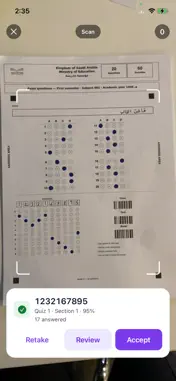
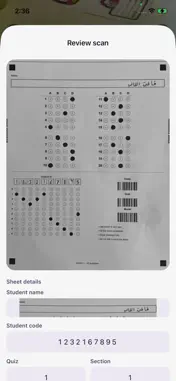
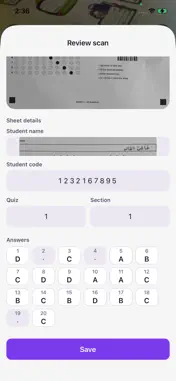
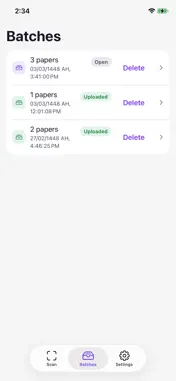
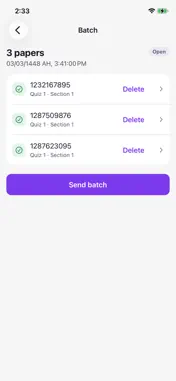
eNoor turns your phone into an answer-sheet scanner. Hold it over a printed eNoor bubble sheet and it reads the marks on the spot — no desktop scanner, no cables, no typing answers in by hand. Built for trainers and teachers who print their exams from the eNoor dashboard and want the answers back in minutes. HOW IT WORKS 1. Print your answer sheets from the eNoor web dashboard. 2. Open the app and hold your phone over a sheet. It captures by itself once the page is framed and steady — there is no shutter button to press. 3. It reads the bubbled student ID and every marked answer, and picks up the class, the quiz and the sheet layout from the barcodes printed on the page. 4. Scans collect into a batch on your device. Send the whole batch to your dashboard in one go. READ FROM THE PAGE AUTOMATICALLY • The student's bubbled ID number • Every answer the student marked • Class, quiz and sheet model, from the printed barcodes — nothing to choose by hand • The handwritten name box, kept as a picture so a person can read it later FEATURES • Automatic capture — the shutter fires when the sheet is square and still • Recognition runs on the device, so scanning keeps working with no signal • Five sheet layouts: 10, 20, 30, 40 and 50 questions • Batches wait offline and upload when you are back online • Review any scan before sending — fix a misread answer or type an ID yourself • Questions answered in writing are flagged, so you can enter the letter by hand • Full Arabic and English, with a right-to-left layout in Arabic WHAT YOU NEED • An eNoor trainer account • Answer sheets printed from the eNoor dashboard — the app is built to read those sheets • A connection to sign in and to upload; the scanning itself works offline ABOUT SCORING eNoor collects answers, it does not mark them. Scoring and results happen in the eNoor dashboard, so your marking rules and reports stay in one place.
What's New
Version 1.0.4 2026-11-18
This update includes general improvements and optimizations. Technical Analysis
Package Overview Basic metadata
Bundle ID
com.osoolsys.enoor Current Version 1.0.4
Minimum iOS 15.1
Package Size App Store Size
Package Metadata 0 / 0 version records
Detailed binary, privacy manifest, framework, and Info.plist results have not been indexed for this package yet. The verified App Store and archive metadata above remains available.
Known Version Records
0 version records with stored package metadata
Stored metadata does not guarantee a package is currently available to download.
| Details | Version / IDs | Version date | Action |
|---|