
Preview






Description
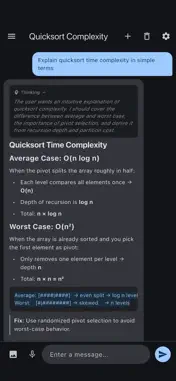
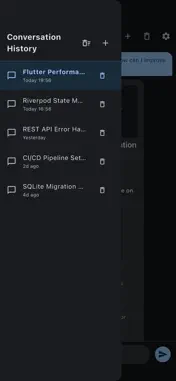
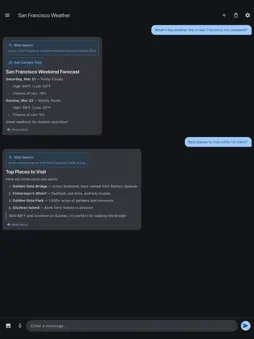
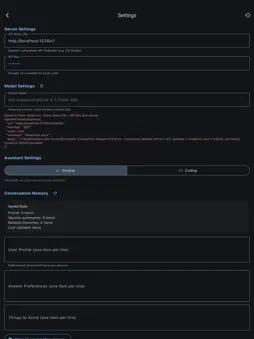
Caverno is a powerful chat client for locally-hosted LLMs. Connect to Ollama, LM Studio, vLLM, or any OpenAI-compatible API endpoint and start chatting — no cloud required. KEY FEATURES • Any OpenAI-Compatible Server Connect to your own LLM running on localhost or your local network. Supports any endpoint that speaks the OpenAI API format. • Tool Calling (MCP Protocol) Extend your AI with real-time tools — web search, calculator, code execution, and more. Caverno uses the Model Context Protocol to let your LLM take actions. • Session Memory Your assistant remembers your preferences, constraints, and context across conversations. Memory is stored locally and fully under your control. • Voice In & Out Speak your messages and have responses read aloud. Configurable speech rate and auto-read options. • Image Attachments Attach photos from your library to include visual context in your conversations. • Multiple Conversations Create, switch, and manage separate chat threads. All conversations are persisted locally. • Assistant Modes Switch between General and Coding modes for different response styles tailored to your task. • Privacy First No account required. No data sent to third parties. All conversations and memory stay on your device — the only network connection is to the server you configure. GETTING STARTED 1. Install an OpenAI-compatible LLM server (Ollama, LM Studio, etc.) 2. Open Caverno and go to Settings 3. Enter your server URL and select a model 4. Start chatting! Caverno is designed for developers, AI enthusiasts, and anyone who wants full control over their AI assistant.
What's New
Version 1.3.0 2026-04-03
This update brings several improvements to the chat experience. You can now attach CSV, TXT, JSON, and Markdown files, and paste images directly into the chat i...This update brings several improvements to the chat experience. You can now attach CSV, TXT, JSON, and Markdown files, and paste images directly into the chat input. We also added one-tap copying for code blocks and improved visibility into token usage during conversations. Technical Analysis
Package Overview Basic metadata
Bundle ID
com.noguwo.apps.caverno Current Version 1.3.0
Minimum iOS 26.0
Package Size App Store Size
Package Metadata 0 / 2 version records
Detailed binary, privacy manifest, framework, and Info.plist results have not been indexed for this package yet. The verified App Store and archive metadata above remains available.
Developer Information
Known Version Records
0 version records with stored package metadata • 2 known version records
Stored metadata does not guarantee a package is currently available to download.
| Details | Version / IDs | Version date | Action |
|---|---|---|---|
| Not archived | App Store ID: 884061421 | Unknown | Request Version |
| Not archived | App Store ID: 883104162 | Unknown | Request Version |