
Preview









Description
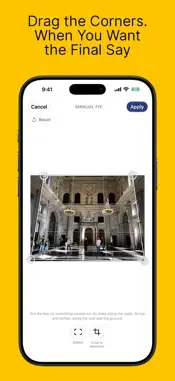
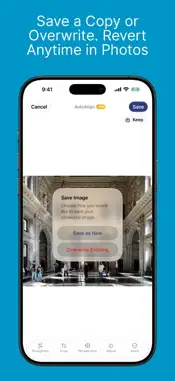
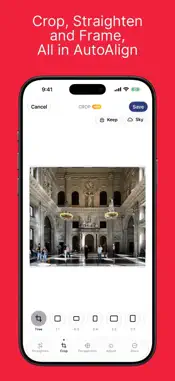
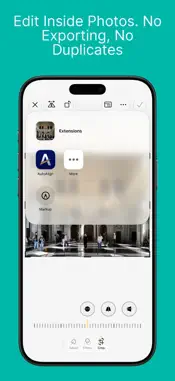
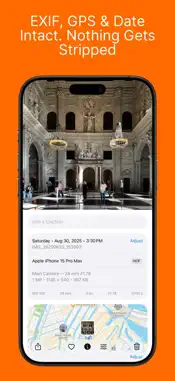
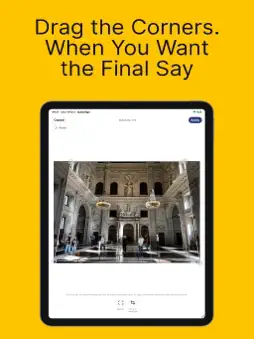
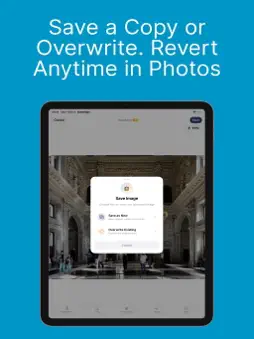
Straighten leaning buildings in one tap, scan your documents, and ask them anything, privately on your iPhone. STRAIGHTEN • AutoAlign measures the angle a photo was taken at and reverses it, so walls stand straight without a stretched look. Full correction, or verticals only. • Billboards, posters, whiteboards and artwork straighten too. With Manual Fix, drag four corners onto anything. • Keeps HDR, EXIF, GPS and your original, and every edit can be reverted in Photos. Works inside the Photos app. DOCUMENTS • Scan receipts, letters, cards and slides, one shot per page. Each page is found, cropped, straightened and filed by type, with a title from Apple Intelligence. • Search any word on the page, in the app or from Spotlight. Share as a searchable PDF. Date, place and camera stay on every page. ASK DOCUMENTS, ON YOUR iPHONE (EXPERIMENTAL) Ask in your own words, like "what was the total on the Hofer receipt?" The on-device model of Apple Intelligence answers and shows the document it used. Smart Search finds the right documents by meaning, and even by what a photo shows, with a search model that runs on your iPhone. Nothing is sent anywhere. Needs a device with Apple Intelligence turned on. Smart Search needs iOS 26.4; its model downloads once after install, and search uses keywords until it arrives. Works best in English. PRIVATE BY DESIGN No account, no tracking, no analytics. FREE AND PREMIUM Free: the full correction, Manual Fix, cropping, and up to 4 documents. Exports carry a watermark and save at reduced resolution. Premium: full-resolution and HDR export, no watermark, unlimited documents. Monthly, yearly, or a one-time purchase. English, العربية, Deutsch, Español, Français, Nederlands, 简体中文. Learn more: orbitaar.com/auto-align.html Terms: orbitaar.com/autoalign/terms-of-use.html
What's New
Version 4.5 2026-11-20
• More accurate straightening: people in the photo no longer throw it off, and Full no longer skews photos taken face-on. • Manual Fix: choose Full or Vertical ...• More accurate straightening: people in the photo no longer throw it off, and Full no longer skews photos taken face-on. • Manual Fix: choose Full or Vertical only. • Portrait: photos taken in Photo mode keep their depth, so after straightening you can still turn on Portrait in Photos and change its depth of field. • Fixed: on a Mac, saved photos could lose their HDR. • Fixed: on a Mac, AutoAlign could close by itself when you switched to another app after straightening a photo. Technical Analysis
Package Overview Basic metadata
Bundle ID
com.osamamazhar.AutoAlign Current Version 4.5
Minimum iOS 17.0
Package Size App Store Size
Package Metadata 0 / 8 version records
Detailed binary, privacy manifest, framework, and Info.plist results have not been indexed for this package yet. The verified App Store and archive metadata above remains available.
Developer Information
Known Version Records
0 version records with stored package metadata • 8 known version records
Stored metadata does not guarantee a package is currently available to download.
| Details | Version / IDs | Version date | Action |
|---|---|---|---|
| Not archived | App Store ID: 889823104 | Unknown | Request Version |
| Not archived | App Store ID: 882877046 | Unknown | Request Version |
| Not archived | App Store ID: 881141079 | Unknown | Request Version |
| Not archived | App Store ID: 879847677 | Unknown | Request Version |
| Not archived | App Store ID: 879802799 | Unknown | Request Version |
| Not archived | App Store ID: 878689705 | Unknown | Request Version |
| Not archived | App Store ID: 878467299 | Unknown | Request Version |
| Not archived | App Store ID: 877295004 | Unknown | Request Version |