Preview



Description
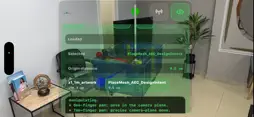
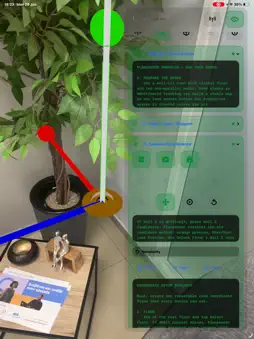
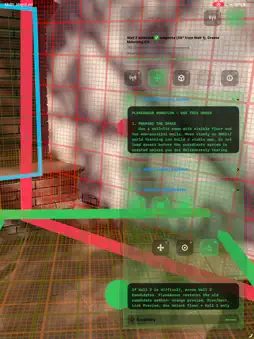
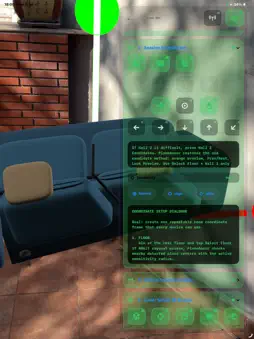
PlaneAncor helps engineering, design, field, and education teams create a shared physical coordinate reference from a real floor and walls, then place 3D assets into that reference for review. Start by selecting the floor, Wall 1, and Wall 2. PlaneAncor creates a Matching Coordinate System with a visible black 0,0,0 origin and RGB XYZ axes. Load USDZ, USD, USDC, OBJ, STL, or FBX files at their authored physical scale, then adjust position, yaw, pitch, rotation, and scale with gestures, sliders, nudge controls, and transform tools. When nearby devices connect, PlaneAncor can exchange the accepted origin, asset state, transform edits, measurements, delete events, and export/share state. This allows collaborators on iPhone, iPad, and Apple Vision Pro to discuss the same placement relative to the same physical datum. PlaneAncor is useful for equipment layout, room-corner alignment, fixture planning, prototype review, clearance discussion, installation preparation, and spatial education. It is an AR and spatial computing visualization tool, not a calibrated surveying, metrology, structural-certification, medical, safety, or legal measurement instrument. Verify final dimensions and installations with approved professional tools. -Create a Matching Coordinate System from a physical floor and walls. -Use a visible black origin and RGB XYZ axes for repeatable 0,0,0 reference. -Load USDZ, USD, USDC, OBJ, STL, and FBX files for real-scale review. -Keep imported assets at authored physical scale unless the user explicitly scales them. -Move, rotate, yaw, pitch, nudge, reset, delete, export, and share selected assets. -Review distance from 0,0,0 as a live placement aid. -Connect trusted nearby devices to share origin, assets, transforms, measurements, and edits. -Use iPhone, iPad, and Apple Vision Pro participants in the same shared-origin workflow. The visionOS experience brings PlaneAncor into spatial computing. In immersive space, users can review the accepted Matching Coordinate System, imported 3D assets, origin distance, and transform changes while collaborating with iPhone, iPad, or other Apple Vision Pro participants. The product page may use Apple Vision Pro in the description, but not in the app name. Use the term spatial computing for the visionOS experience.
Technical Analysis
Package Overview Basic metadata
Bundle ID
com.orthopractis.PlaneAncor Current Version 1.0
Minimum iOS 26.2
Package Size App Store Size
Package Metadata 1 / 1 version records
Detailed binary, privacy manifest, framework, and Info.plist results have not been indexed for this package yet. The verified App Store and archive metadata above remains available.
Developer Information
Known Version Records
1 version record with stored package metadata
Stored metadata does not guarantee a package is currently available to download.
| Details | Version / IDs | Version date | Action |
|---|---|---|---|
| 3.71 MB | v1.0 App Store ID: 887244285Build: 1.0 | 2026-07-13 08:42:27 | Paid / Arcade |