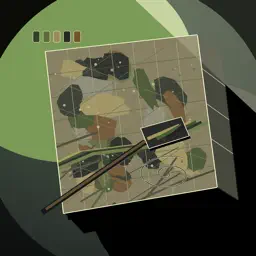
Preview


Description
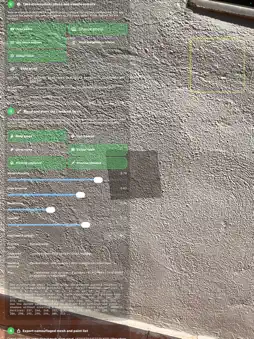
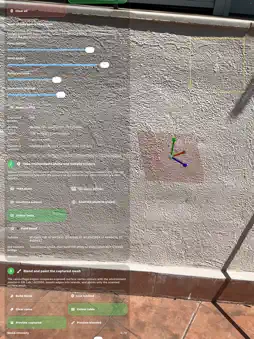
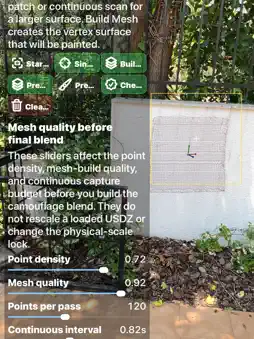
CamouflageMesh is a local-first surface capture and colour-planning app for designers, painters, builders, researchers, and spatial-content teams. Capture a surface, choose or take an environment photo, generate a palette, preview the colour-blended mesh, and export all supporting files. The iOS app can operate as a standalone fallback workflow or as a companion camera bridge for CamouflageMesh Vision. Use iPhone or iPad to supply environment colours when the Vision main-camera workflow is unavailable or intentionally disabled. Exports include mesh data, colour tables, visible colour swatches, buy-ready colour labels, paint instructions, CSV/HTML/JSON/XLS files, and a packaged ZIP for sharing or review. All sensitive camera, photo, local-network, and export actions are shown after launch consent. The app does not require a cloud account and does not perform tracking.The app uses surface-first colour planning. It does not require face tracking, face landmarks, or cloud processing. Colour suggestions are generated from the selected environment photo or from scanned surface colours when a photo is not available. The result is a visual plan showing how selected colour groups may be applied across the captured mesh.CamouflageMesh is a local-first surface capture and colour-planning app for designers, painters, builders, researchers, conservation teams, set designers, spatial-content creators, and anyone who needs to scan a real surface, match colours, preview a blended result, document the process, and export a practical colour plan. Capture a surface, build a mesh, choose or take an environment photo, generate a palette, preview the colour-blended result, and export the files needed for review, paint planning, or spatial documentation. The workflow is designed around real surfaces such as walls, panels, textured plaster, stone, timber, fabric, scenery, sample boards, mock-ups, and test surfaces. The iOS app works as a standalone workflow and as a companion camera bridge for CamouflageMesh Vision. On iPhone or iPad, you can choose or capture an environment photo, analyse its colours, create a palette, and export the result. When used with the visionOS app, the iOS device can send environment colour photos to Apple Vision Pro when the Vision main-camera workflow is unavailable, disabled, or not required. Workflow: 1. Capture or import the target surface. 2. Adjust mesh quality before final capture. 3. Take or choose an environment photo. 4. Extract representative colour groups. 5. Compare the surface and environment palette. 6. Generate a blended mesh preview. 7. Review captured and blended versions. 8. Export the mesh, colour plan, and supporting documents. The app uses surface-first colour planning. It does not require face tracking, face landmarks, or cloud processing. Colour suggestions are generated from the selected environment photo or from scanned surface colours when a photo is not available. The result is a visual plan showing how selected colour groups may be applied across the captured mesh. Exports can include mesh data, point data, colour tables, visible colour swatches, numbered colour labels, buy-ready or mix-ready colour notes, paint instructions, CSV, HTML, JSON, XLS, and a packaged ZIP for sharing, review, or archive. Export files help teams discuss colour choices, compare options, document decisions, and prepare physical swatch checks. CamouflageMesh is useful for: • paint and finish planning • surface documentation • spatial design mock-ups • theatre, film, and exhibition scenery • construction and renovation review • texture and material studies • research demonstrations • colour communication between iOS and visionOS • client or collaborator review Privacy and control are central to the app. CamouflageMesh is local-first, does not require a cloud account, and does not perform tracking. Camera, photo, local-network, and export actions are shown after launch consent and controlled by the user.
Technical Analysis
Package Overview Basic metadata
Bundle ID
com.orthopractis.CamouflageMesh Current Version 1.0
Minimum iOS 18.6
Package Size App Store Size
Package Metadata 0 / 1 version records
Detailed binary, privacy manifest, framework, and Info.plist results have not been indexed for this package yet. The verified App Store and archive metadata above remains available.
Developer Information
Known Version Records
0 version records with stored package metadata • 1 known version records
Stored metadata does not guarantee a package is currently available to download.
| Details | Version / IDs | Version date | Action |
|---|---|---|---|
| Not archived | App Store ID: 886639116 | Unknown | Paid / Arcade |