Preview








Description
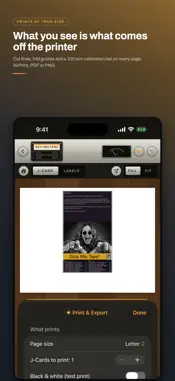
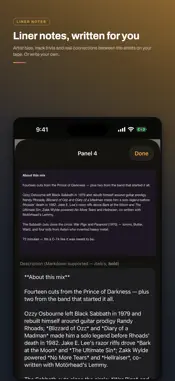
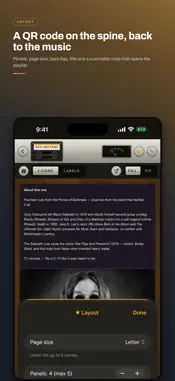
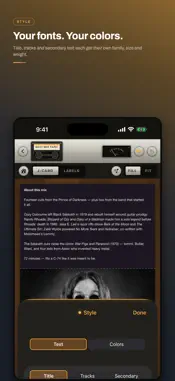
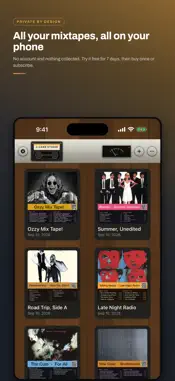
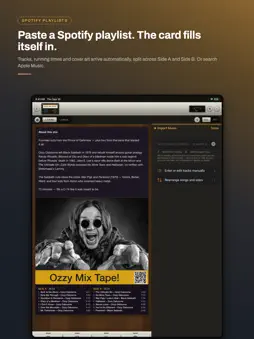
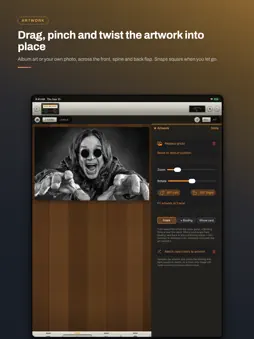
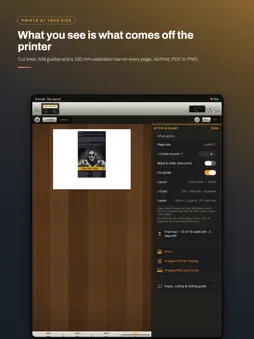
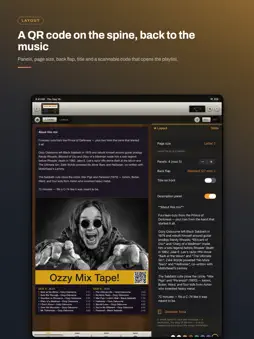
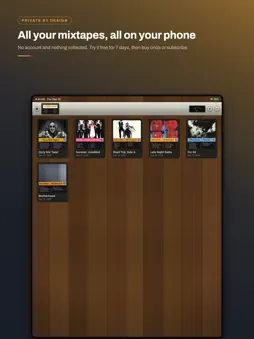
Design and print cassette J-cards, tape inserts, and matching cassette labels — right from your iPhone. J-Card Studio is the mixtape cover maker for anyone who still loves a real tape. PASTE A SPOTIFY PLAYLIST, GET A CARD Drop in a public Spotify playlist link (or search Apple Music for an album) and the whole tracklist, cover art, and running times fill in automatically, split across Side A and Side B. A QR code on the spine scans straight back to the playlist, so whoever picks up the tape can find the music. ARTWORK THAT FITS Use the album art or your own photo. Drag it into place, pinch to zoom, twist with two fingers to rotate — it snaps square when you let go — and stretch it across the front, spine, and back flap. LYRICS AND LINER NOTES Lyrics fetch automatically and typeset themselves to fit however many fold-out panels your card has. Liner notes can be written by hand or generated for you: artist bios, track trivia, and real connections between the artists on your tape. EVERY DETAIL IS YOURS Fonts, colors, panel count, title placement, a description panel, and cassette shell labels for both sides built from the same design. PRINTS AT TRUE SIZE Print over AirPrint or export a PDF or PNG. Cut lines, fold guides, and a 100 mm calibration bar are built into every page, so what you see in the app is exactly what comes out of the printer and fits a real cassette case. PRIVATE BY DESIGN No accounts, nothing collected. Your designs stay on your phone. The app goes online only when you search for music, artwork, or lyrics. TRY IT FREE 7 days or 10 printed cards, whichever comes first — no payment info needed and nothing converts automatically. Then choose how to keep printing: buy J-Card Studio once for $2.99 (10 cards every month, forever), or subscribe for $2.99/month for unlimited printing, auto-renewing through your Apple ID, cancel anytime in Settings. Terms of Use (EULA): https://optimizedmachining.com/terms Privacy Policy: https://optimizedmachining.com/privacy
What's New
Version 1.7 2026-09-10
The whole app is a tape deck now. • A walnut cabinet, a brushed silver fascia and real mechanical keys — Layout, Art, Lyrics and Print press down and light up ... Technical Analysis
Package Overview Basic metadata
Bundle ID
com.optimizedmachining.jcard Current Version 1.7
Minimum iOS 17.0
Package Size App Store Size
Package Metadata 0 / 0 version records
Detailed binary, privacy manifest, framework, and Info.plist results have not been indexed for this package yet. The verified App Store and archive metadata above remains available.
Developer Information
Known Version Records
0 version records with stored package metadata
Stored metadata does not guarantee a package is currently available to download.
| Details | Version / IDs | Version date | Action |
|---|