Preview







Description
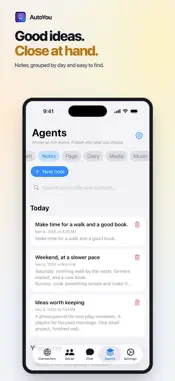
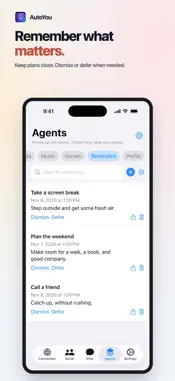
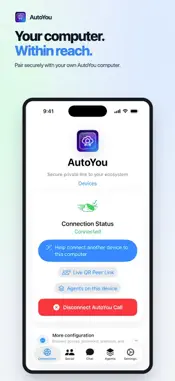
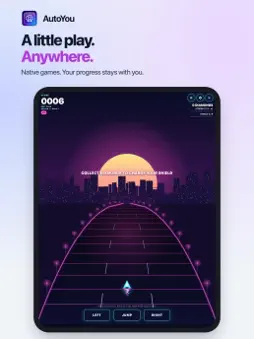
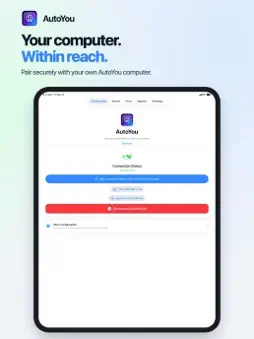
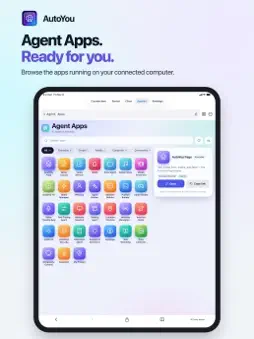
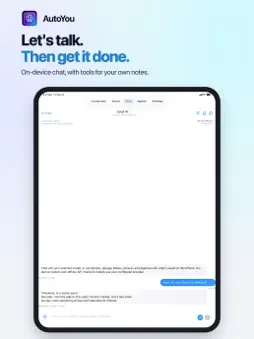
AutoYou Connect is the iPhone and iPad companion app for your private AI workspace. Run AutoYou Server on your computer, or AutoYou Lite on supported hardware such as Raspberry Pi. Then pair with AutoYou Connect on iPhone or iPad. Your computer remains the workspace. It can run on localhost, is not publicly exposed by default, and reachability depends on settings and network. Reconnect without per-message AutoYou API charges. Hosted features, third-party services, or network providers may have separate costs. OFFLINE AI AND LOCAL AGENTS - Tap Local in Chat to talk to an AI that runs on your phone and needs no computer, using the included LFM 2.5 350M model or Apple Intelligence on supported devices. - Keep Notes, Page, Diary, photos, videos, voice notes and music on this device. Ask Local AI to help, or choose your own API/network model. Provider accounts, keys and charges may apply. Publish only what you choose to an authorized computer or peer. CHAT, VOICE, AND MEDIA - Chat with your AI assistant through your computer, in a thread for each connection. - Make voice and video calls with native controls and Bluetooth audio, with computer video, webcams, or your phone camera. - Share voice notes, images, video, audio, and files; your server can transcribe voice notes. LOBBIES, PEER LINK, AND REMOTE DESKTOP - Host or join nearby Lobbies over Wi-Fi and Bluetooth, without GPS: group chat plus audio and video for up to 6 guests and the host. - Peer Link links your app to another AutoYou app, which approves each link. Optional Peer Link AI replies let your on-device assistant answer a contact for you, in your tone, using only what you told it. - View and control your computer's screen with touch, the keyboard, and Ctrl, Alt, Shift, and Win keys, when your server allows it. BROWSER AND AGENTS - Open page feeds, local websites, web apps, dashboards, and self-hosted tools in the Browser. - Connect local models and OpenAI-compatible backends such as Ollama, OpenClaw, or Hermes. - Build and run personal AI agents that, when enabled on your server, work with files, browsers, and desktop apps. CONNECTION OPTIONS Five pairing modes: Auto Pair (Telegram, WhatsApp, or Signal workflow), Pair with OTP, Local Pair, Bluetooth Pair, and optional Cloud Pair for account-based remote convenience. QR Zero Touch Setup may be an optional in-app purchase. Modes other than Cloud Pair can work without an AutoYou account; Cloud Pair uses an account and subscription. Use your own VPN or private tunnel. Connectivity depends on your network and whether your server is online. PRIVACY AND CONTROL AutoYou Cloud, when used, handles account, subscription, signaling, relay, and setup, not your AI workspace. Secure modes use encrypted connections; relays may assist when direct paths are blocked. AutoYou Cloud is designed not to decrypt message content, voice audio, files, or browsing content. Cloud Pair may process account, device, subscription, and connection metadata. Your server and other services may process data or keep logs. Review the Privacy Policy before using hosted features. PURCHASES Core pairing and chat do not require ads. Rewarded support experiences are optional. Cloud Pair, connection, hosting, and QR provisioning may use in-app purchases; prices and terms are shown before purchase. WHAT YOU NEED AutoYou Server or AutoYou Lite on your computer, with an AI backend, model, speech service, or integration configured, and a connection to it (Internet, Wi-Fi, or mobile data). Offline AI Chat, Local Agents, and Lobbies need no computer. AutoYou Connect is not a standalone cloud AI chatbot: features that use your computer depend on your server, hardware, models, agents, network, and enabled services. Support: https://www.autoyou.me/support/ Terms of Use: https://www.autoyou.me/terms/ Privacy Policy: https://www.autoyou.me/privacy/
What's New
Version 81.6.0 2026-11-07
New in 81.6.0 - Native device actions for photos, recordings, Shortcuts and Home, with the permissions you allow. - Local date and time answers follow your devi... Technical Analysis
Package Overview Basic metadata
Bundle ID
com.autoyou.app Current Version 81.6.0
Minimum iOS 17.0
Package Size App Store Size
Package Metadata 0 / 3 version records
Detailed binary, privacy manifest, framework, and Info.plist results have not been indexed for this package yet. The verified App Store and archive metadata above remains available.
Developer Information
Known Version Records
0 version records with stored package metadata • 3 known version records
Stored metadata does not guarantee a package is currently available to download.
| Details | Version / IDs | Version date | Action |
|---|---|---|---|
| Not archived | App Store ID: 885833349 | Unknown | Request Version |
| Not archived | App Store ID: 883605294 | Unknown | Request Version |
| Not archived | App Store ID: 883233028 | Unknown | Request Version |