
Preview


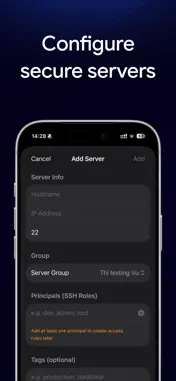

Description
OSH turns your iPhone into a hardware-backed approver for zero-trust SSH access. Instead of long-lived SSH keys scattered across laptops, your team's gateway issues short-lived SSH certificates only after a human approves each request. OSH is where that approval happens — on a device you carry, protected by Face ID and the Secure Enclave. HOW IT WORKS • Enroll your device by scanning the gateway's QR code. • When someone requests SSH access, OSH shows you who, what, and where. • Approve or deny with Face ID. Your approval is signed by a key that lives only in the Secure Enclave. • The gateway issues a short-lived certificate — no standing keys, no shared secrets. WHY IT'S SECURE • The signing key is generated inside the Secure Enclave and is non-exportable — it can never leave your iPhone. • Every approval requires biometric authentication. • OSH connects only to the gateway you configure. It has no analytics, no trackers, no ads, and no third-party SDKs. FOR TEAMS • Role-aware: signers, admins, and root see the controls appropriate to them. • Review access rules, approval history, and gateway logs from the app. OSH requires a compatible zero-trust SSH gateway to connect to. If your organization doesn't run one yet, contact us at [email protected].
What's New
Version 1.0.11 2026-11-02
Host keys, Team tab and fixes - Host keys (super admin and root): a new screen under Team lists the servers of the Group you are working in, each under the nam... Technical Analysis
Package Overview Basic metadata
Bundle ID
com.openlay.osh Current Version 1.0.11
Minimum iOS 18.0
Package Size App Store Size
Package Metadata 0 / 0 version records
Detailed binary, privacy manifest, framework, and Info.plist results have not been indexed for this package yet. The verified App Store and archive metadata above remains available.
Known Version Records
0 version records with stored package metadata
Stored metadata does not guarantee a package is currently available to download.
| Details | Version / IDs | Version date | Action |
|---|