
Preview





Description
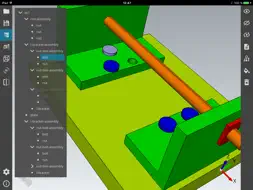
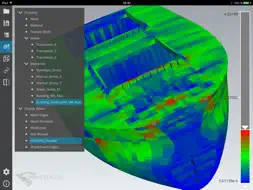
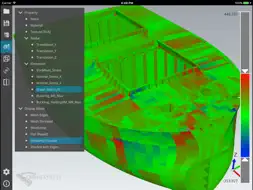
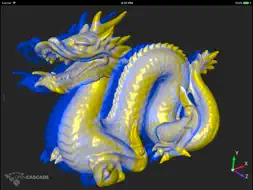
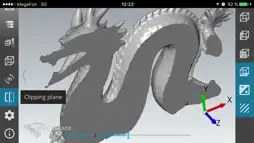
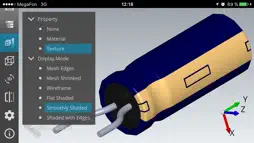
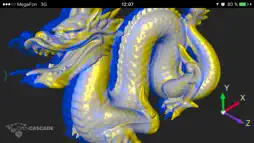
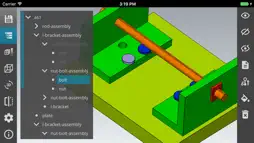
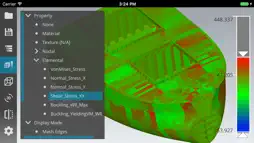
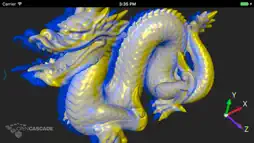
OPEN CASCADE CAD Assistant for iOS is an offline viewer and converter for 3D CAD and mesh models. If you wish to use this technology for development of customized solutions for your business, contact us at: https://www.opencascade.com/contact Basic CAD model viewing and converting Basic functionality is provided by CAD Data Exchange component of Open CASCADE Technology (OCCT). The supported file formats and data are: - BREP: native OCCT format for shape geometry, topology, and assembly structure. - IGES (5.1 and 5.3): shape geometry, colors, top-level object names, file information. - STEP (AP203 and AP214): shape geometry, assembly structure, colors, names, validation properties, file information. Assembly structure of the model can be navigated through the tree browser. The components of the assembly can be hidden or shown as necessary to inspect the model. The selected sub-assembly or part can be queried for its properties. CAD model (whole or selected part or sub-assembly) can be exported to any of supported CAD or mesh formats. Viewing mesh data Additional functionality is viewing of mesh models with associated data, implemented using the mesh visualization component of OCCT. Supported mesh formats are: - STL is de-facto standard in 3D printing. - PLY has capability to store data associated with mesh nodes and elements. If you have in your application a model represented by mesh, it can be saved easily to PLY format and viewed on a tablet. Additional data (RGB color or scalar) can be added to each polygon or node. - OBJ is standard for 3D animation and supported by most 3D graphics applications. - JT is ISO standard for efficient visualization of 3D CAD data. - glTF is an open standard for 3D assets. CAD Assistant allows you to view the mesh in wireframe, shaded, and shrink view. If mesh contains associated textures, colors, or scalar data, it can be viewed with elements colored according to the selected property. For scalar quantities interactive color scale is shown, providing controls to manipulate the range of displayed quantities. Common operations CAD Assistant is optimized for devices with multi-touch screen and provides intuitive manipulation of the 3D view by finger gestures. Left toolbar provides buttons for fitting model to window and choice of standard views. Settings submenu provides access to viewer and application options, file information, and message log. Files can be opened from local storage of the application (uploaded using iTunes). In addition, models can be opened from other applications, like attachments within mail client. CAD models can be saved in STEP, IGES, or BREP format as CAD data; CAD and mesh models can be saved in PLY, STL, OBJ or glTF format as polygonal data. Save file dialog also allows saving current image of the model to PNG format. If target directory Mail is selected, the mail client will be automatically started with saved file as attachment. Known limitations Depending on a device, opening large files may take time, or will be disallowed at all due to device memory limits. In general, files less than 50 Mb can be considered safe for opening on all devices. See more at https://www.opencascade.com/content/3d-applications Feedback We welcome your feedback on our User Forum at https://www.opencascade.com/forums/applications
What's New
Version 1.2 2018-11-09
- glTF writer now exports into 2.0 version of this format. - Option to rename a selected assembly part. - Improved performance of Flat Shaded and Mesh Shrinked ... Version 1.1 2018-08-14
- New languages for user interface: French, Russian. - New cad import formats (DXF, ACIS) using OCC Commercial Components. - New mesh import formats (WRL1, BLEN... Version 1.0 2018-03-06
- Improved support of measurement units. - Rubber-band selection tool. - Option to export into Binary glTF 1.0 format. - Option to exclude normals when exportin... App Store User Reviews
Lejeanmi 2026-04-09
Best free 3D file viewer on the App Store
Simple interface. Easy to open 3D models from cloud storage sources into this App. I am mostly using it to view STEP files so I can’t comment on the other forma...
Person 48287 2017-12-15
Can’t open samples: “Error: the system is running low on memory. Operation aborted”
Update: after force closing the app and reopening it, it successfully opens it’s sample files. This doesn’t change the fact that it’s left a very bad first impr...
Simplify3 2019-05-28
UI is actually intuitive
I don’t work in CAD/CAM/modeling. But it has always fascinated me. This app is beautiful and easy to work with. It behaves how I’d expect a viewer to work and I...
GradedPassFail 2023-08-07
No login needed. Works well.
This may be the only free viewer on the entire App Store that opens step files from any source and doesn't require a log in.
Adxxt 2025-12-14
Cannot access files on iPad
Seems like a great app but I cannot seem to,access any local files on my iPad. I’m running the latest iOS.
Technical Analysis
Package Overview Basic metadata
Bundle ID
org.opencascade.cadassistant Current Version 1.2
Minimum iOS 8.0
Package Size App Store Size
Package Metadata 0 / 4 version records
4.2 / 5.0 (18 ratings)
Detailed binary, privacy manifest, framework, and Info.plist results have not been indexed for this package yet. The verified App Store and archive metadata above remains available.
Related Apps


Developer Information
Known Version Records
0 version records with stored package metadata • 4 known version records
Stored metadata does not guarantee a package is currently available to download.
| Details | Version / IDs | Version date | Action |
|---|---|---|---|
| Not archived | v1.2 App Store ID: 829120290Build: 1.2 | 2018-11-09 18:46:03 | Request Version |
| Not archived | v1.1 App Store ID: 828215695Build: 1.1 | 2018-08-14 16:10:55 | Request Version |
| Not archived | v1.0 App Store ID: 826172259Build: 1.0 | 2018-03-06 22:56:03 | Request Version |
| Not archived | v0.9 App Store ID: 821738103Build: 0.9 | 2017-04-24 21:58:43 | Request Version |