
Preview





Description
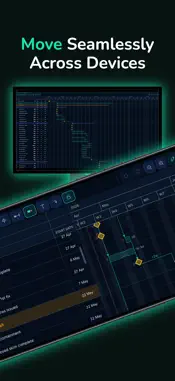
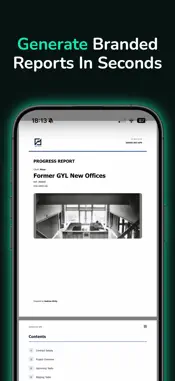
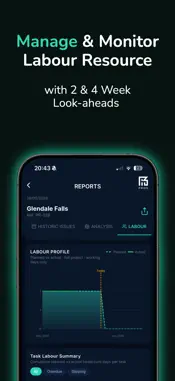
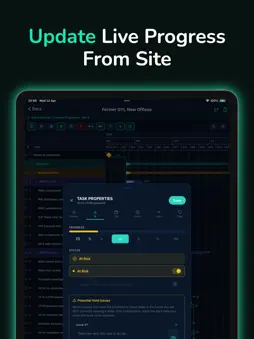
Take full control of your construction programmes from your phone, tablet, or desktop. PROG is the powerful mobile-first platform that lets you build, manage, update, and report on programmes — all in one seamless app. PROFESSIONAL PROGRAMMES ON THE GO Create fully featured programmes wherever you are. Start on your phone or tablet during a site walk, then finish on desktop — everything syncs instantly over the cloud. PROG is incredibly easy to use, so whether you need a simple programme or a highly complex one, you can make it exactly as detailed as your project demands. Enjoy industry-standard tools including task dependencies, constraints, milestones, lag/lead links, critical path analysis, float calculations, and full CPM rescheduling. Group tasks by packages, trades, or locations with powerful tag libraries. Customise your Gantt chart with grids, markers, zone shading, and non-working day calendars. Add custom columns with calculated and user fields. Record real progress on interactive task bars — track % complete, assign statuses (Not Started, In Progress, At Risk, In Delay), log gains/delays with photos and descriptions, and instantly see the impact on your critical path. Distinguish internal and external issues and visualise their effect on the schedule. Store multiple programme revisions and drafts in organised folders so you never lose your baseline. Import/export in native .prg or XML formats. REAL TIME COLLABORATION The whole team works on the same live programme. Project owners control access and permissions while monitoring activity in real time — no version conflicts, no missed updates. TASK VIEW DESIGNED FOR SITE TEAMS Switch to Task View for a clean, expandable task list with collapsing groups. Filter by upcoming works, slipping tasks, overdue items, or tags for packages and areas. Update progress, add issues, resolutions, and photos — even offline. Changes sync and instantly update the Gantt chart and reports. TRACK WHAT MATTERS MOST Key contract details are always visible: PC date, weeks to go, and planned vs actual progress. Live task statuses feed directly into critical path analysis so you always know what’s slipping and its impact on your finish date. POWERFUL REPORTING BUILT IN Generate professional customisable PDF reports in seconds from your live programme. Use the report builder with presets, add your company logo and branding, and include exactly what you need: planned vs actual, status summaries, time remaining, slipping/overdue tasks, active issues (internal/external), and historic resolved issues. Live dashboards give instant visibility across all projects on any device. PRINT & SHARE WITH EASE One-tap PDF export of your Gantt chart with automatic sizing and full branding. No fiddly scaling or border files — perfect for clients and stakeholders. ORGANISATION-LEVEL CONTROL Join your company dashboard to centrally manage branding, themes, and shared tag libraries. Full team management with complete activity oversight. Stay Ahead with Smart Notifications. Get alerts for tasks due soon, overdue items, progress deadlines, and more. WORKS THE WAY YOU DO Truly mobile-first for site life, fully synced with desktop and web. Work offline and sync when back online. Switch devices seamlessly. All projects and programmes are accessible in one place, with full revision history so you never lose sight of where you started. SIMPLE PRICING A straightforward per-user monthly subscription unlocks every feature from day one — no hidden tiers or limits. Whether you’re updating progress on site or building complex programmes at your desk, PROG helps your team stay in control, communicate clearly, and deliver on time. Download PROG today and programme your way — with real power, real collaboration, and real results on site.
What's New
Version 1.0.4 2026-06-04
- AI Programme Analysis improved - Critical Path impact to delay issues added - Various bug fixes Technical Analysis
Package Overview Basic metadata
Bundle ID
com.onomichiprog Current Version 1.0.4
Minimum iOS 15.1
Package Size App Store Size
Package Metadata 0 / 4 version records
Detailed binary, privacy manifest, framework, and Info.plist results have not been indexed for this package yet. The verified App Store and archive metadata above remains available.
Developer Information
Known Version Records
0 version records with stored package metadata • 4 known version records
Stored metadata does not guarantee a package is currently available to download.
| Details | Version / IDs | Version date | Action |
|---|---|---|---|
| Not archived | App Store ID: 886501880 | Unknown | Request Version |
| Not archived | App Store ID: 886253762 | Unknown | Request Version |
| Not archived | App Store ID: 885984050 | Unknown | Request Version |
| Not archived | App Store ID: 884774452 | Unknown | Request Version |