
Preview



Description
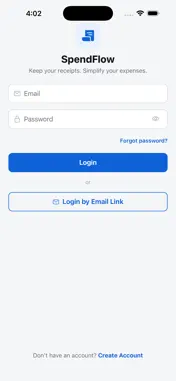
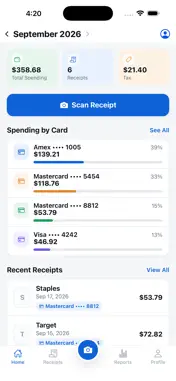
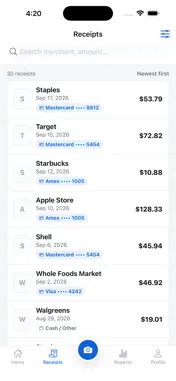
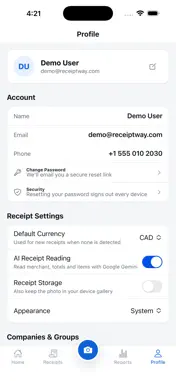
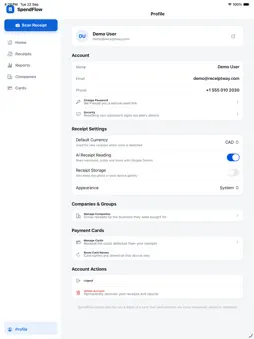
SpendFlow turns a pile of paper receipts into organized spending you can actually see. Snap a receipt, and AI reads it for you. CAPTURE IN SECONDS • Scan with your camera. The Scan button is always one tap away. • Import a photo from your gallery, or upload a PDF receipt a store emailed you. • AI reads the merchant, date, time, subtotal, tax, total, currency, payment method and card used. • Every line item is captured: quantity, unit price and line total. • Review what the AI read and fix anything it got wrong. Your corrections are never overwritten. FILED THE WAY YOU THINK • Receipts group themselves by the card they were paid with. • Keep each business you buy for separate, with a Personal group for everything else. • Create groups like Lunch, Office, Fuel or Travel. • Card rules: say "anything on •••• 3456 is Office" once, and every receipt on that card files itself. • When a receipt could go more than one way, SpendFlow asks. One tap to answer, and it remembers. • Find any receipt by merchant, card, company, group, month, date range or amount. SEE WHERE THE MONTH WENT • Monthly total spent, tax and receipt count on your home screen. • Spending by card, by merchant, by company and by group. • Month-over-month trends, so you spot a change before it becomes a habit. PRIVATE BY DESIGN • Only the last four digits of a card are ever stored, even if the full number is printed on the receipt. • Receipt images are kept in private storage and shown only to your account. • Sign in with a one-time link sent to your email, or use your password. • Your receipt is saved before the AI reads it, so a failed read never loses the photo. Re-read any time. Great for freelancers, small business owners, and anyone who wants tax time and expense reports to take minutes instead of hours. SpendFlow is free to use today. Questions? [email protected]
What's New
Version 1.2 2026-10-09
- Fixes and UI improvements. Technical Analysis
Package Overview Basic metadata
Bundle ID
com.receiptway.app Current Version 1.2
Minimum iOS 15.0
Package Size App Store Size
Package Metadata 0 / 0 version records
Detailed binary, privacy manifest, framework, and Info.plist results have not been indexed for this package yet. The verified App Store and archive metadata above remains available.
Developer Information
Known Version Records
0 version records with stored package metadata
Stored metadata does not guarantee a package is currently available to download.
| Details | Version / IDs | Version date | Action |
|---|