
Preview

Description
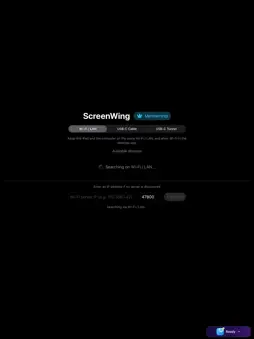
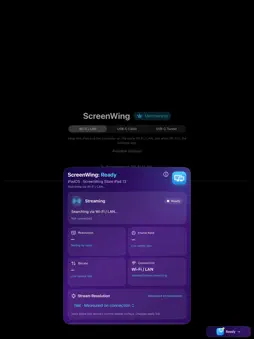
Turn your iPad into a responsive second display for your computer with ScreenWing. KEEP YOUR MAIN DISPLAY FOCUSED Move references, previews, documentation, timelines, chats, or monitoring tools onto your iPad. Choose an extended workspace or mirror your main display, then rotate the iPad whenever your layout changes. LOCAL DISPLAY CONNECTION Screen frames and input travel directly between your iPad and ScreenWing Desktop over your trusted local or USB network. They are not routed through the ScreenWing membership service. TRY IT BEFORE YOU BUY Use ScreenWing free for 30 minutes every day, up to 210 minutes per week and 900 minutes per month. An optional ScreenWing account can link up to 5 compatible devices, with one active display stream at a time. Basic display discovery and connection do not require an account. ONE OPTIONAL SCREENWING ACCOUNT Sign in without a password using a six-digit email code. An account is optional for basic display connection; it lets you link up to 5 compatible devices, review your membership, and carry an existing purchase to another device without buying again. One live display stream can run at a time. SCREENWING PRO ScreenWing is free to download. An auto-renewing ScreenWing Pro subscription is required for commercial display sessions. The App Store purchase sheet shows the binding local price, currency, taxes, renewal date, and cancellation terms before confirmation. The website reference price is US$3.99 per month. GETTING STARTED 1. Install the compatible ScreenWing Desktop host from screenwing.kerege.net. 2. Open ScreenWing Desktop and create a one-time membership code. 3. Enter the desktop code in ScreenWing. Sign in only if you want account features such as the shared daily trial or access on another device. 4. Subscribe or restore through the App Store, then select your computer. Requires a compatible iPad and desktop host. Current macOS and Linux hosts support Extend and Mirror; the current Windows beta supports Mirror. Availability and system requirements for each desktop platform are shown on the ScreenWing website. Privacy Policy: https://screenwing.kerege.net/privacy Terms of Use: https://screenwing.kerege.net/terms Support: https://screenwing.kerege.net/support
Technical Analysis
Package Overview Basic metadata
Bundle ID
dev.onder.ikincilekran Current Version 1.0
Minimum iOS 15.0
Package Size App Store Size
Package Metadata 0 / 0 version records
Detailed binary, privacy manifest, framework, and Info.plist results have not been indexed for this package yet. The verified App Store and archive metadata above remains available.
Developer Information
Known Version Records
0 version records with stored package metadata
Stored metadata does not guarantee a package is currently available to download.
| Details | Version / IDs | Version date | Action |
|---|