
Preview

Description
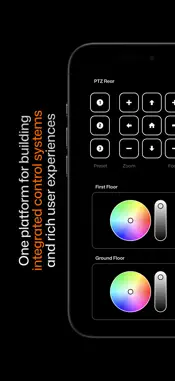
For Version 2 of Ctrl Suite. The intuitive app making it easier than ever to control your installation's audio, entertainment, video, lighting, and so much more. Player makes control of multiple pieces of complex equipment on your installation centralised & simple by allowing you to view and interact with your Ctrl Suite interfaces. Player presents the customisable buttons, sliders, steppers, images, device modules & more in a form that makes triggering automation, controlling devices intuitive and straightforward for any level of technical ability. Player setup has been designed to be as simple and user-proofed as possible. Connect and go. Once the App is opened, Player can be discovered and adopted into a Ctrl Engine session over your local network to allow users to start controlling the installation. Why limit yourself to one device? The Ctrl Suite architecture allows you to connect multiple Player devices on the same installation. The system state is synchronised between all of them over the Ctrl Engine. Within Ctrl Designer, your Player interfaces can be authored to trigger devices using the following protocol types: · MIDI / Musical Instrument Digital Interface · OSC / Open Sound Control · UDP / User Datagram Protocol · HTTP(S) / HTTP(S)/1.1 Methods, Headers, Body · TCP / Transmission Control Protocol · MQTT / MQ Telemetry Transport · Serial · KNX over IP · Telnet · Timecode Alternatively, you can map each interface button to be fed into a logic process within Ctrl Engine to manipulate the input in real-time for more advanced projects. We’re always adding custom interface modules to simplify interaction with specific services to help you create the ultimate unified control interface for your installation: · Session timers · Buttons · Sliders · Steppers · Titles · Text · Images · Audio controls · Tab navigation bars · Side navigation bars · Module Specific controls Ctrl Player displays all customisation options defined in Ctrl Designer: · Custom background images & logos · Custom background colours Contact our team through our website if you're looking at Ctrl Suite for a project or installation and want to try the entire system.
What's New
Version 2.4.2 2026-07-20
UI additions and minor updates Technical Analysis
Package Overview Basic metadata
Bundle ID
com.onlx.ctrl.player.v2 Current Version 2.4.2
Minimum iOS 16.0
Package Size App Store Size
Package Metadata 0 / 4 version records
Detailed binary, privacy manifest, framework, and Info.plist results have not been indexed for this package yet. The verified App Store and archive metadata above remains available.
Developer Information
Known Version Records
0 version records with stored package metadata • 4 known version records
Stored metadata does not guarantee a package is currently available to download.
| Details | Version / IDs | Version date | Action |
|---|---|---|---|
| Not archived | App Store ID: 888565329 | Unknown | Request Version |
| Not archived | App Store ID: 877911402 | Unknown | Request Version |
| Not archived | App Store ID: 877680592 | Unknown | Request Version |
| Not archived | App Store ID: 875732901 | Unknown | Request Version |