
Preview





Description
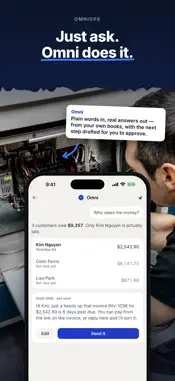
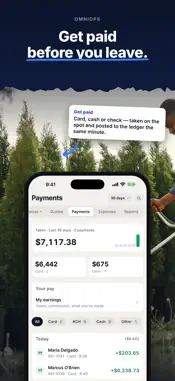
Run the whole day from your phone. You know how the day goes. Somebody calls at seven, the second job runs long, and the invoice you meant to send is still sitting in the truck at nine at night. OmniOps puts the schedule, the job and the money in one place, so the paperwork happens while you work instead of after it. Five tabs. That is the whole app. TODAY — open it and the day is already laid out The map shows every stop in order, so you know what is ahead before you turn the key. Above it: how many jobs are done, what you have been paid today, what is still outstanding, and any leads that came in overnight. Tap the job you are on and you are in it. There is no morning huddle to run — the crew opens the app and it is all there. SCHEDULE — book it, move it, tell them See the work as a day, a week, a month or a map, with the price on every block so you always know what a day is worth. Drag a job to a new time and the customer is told in the same action, so there is no call to remember afterwards. Assign a crew, set how long it should take, and let the route sort itself out. THE JOB — everything you need while you are standing there Open a job and the scope, the line items and the address are on one screen. Clock in when you arrive. Take photos before and after. Add a service you did not quote for and it drops straight onto the invoice. Get a signature at the door. Clock out, and the hours are already on the job — no timesheet to fill in later. It works with no signal. Anything you do in a basement or out past the last tower is saved and sent the moment you are back in range. QUOTES — priced before you have typed anything Your trade's price book is already loaded, so a quote is a few taps rather than a night's work. Send it before you pull off the drive and they can accept it from where they are standing. When they do, it becomes a scheduled job on its own. GETTING PAID — stop chasing from memory Invoice the second you finish. Take cash, take a check, run a card, or send a pay link they can open on their phone while you pack up. The Collect list is everyone who owes you, ordered by how late they are and how much is at stake — it reminds them for you and shows who has been chased and who has not. Deposits, payment plans, memberships and recurring work bill on their own. CUSTOMERS AND LEADS — nothing sits in an inbox Every enquiry lands in one pipeline with its stage and what it is worth. Booking forms let people book you without a phone call, and the customer portal lets them look up their own quotes, invoices and visits instead of asking you. THE NUMBERS — what a job actually made Log an expense with a photo of the receipt. Job costing shows what the work made after labour and materials, not just what it billed. Reports cover the month, the crew and the trade. OMNI — an assistant you can just talk to Ask out loud while you are driving, or type it. "Book Mrs Alvarez for Thursday morning." "What did we bill in June?" "Send Dave his invoice." Omni does the work and checks with you before anything reaches a customer, and every action it takes is written down where you can read it. Included in the subscription — never metered, never an add-on. ALSO IN THERE Team and crews, payroll hours, inventory and parts, reviews and referrals, follow-up campaigns, automations, contracts, tasks, and a price book you can edit to match what you actually charge. BUILT FOR HVAC, plumbing, electrical, landscaping, lawn care, cleaning, pest control, roofing, painting, handyman, pressure washing, pool service, appliance repair, garage doors, flooring, fencing, junk removal, snow removal, locksmiths and window cleaning — 42 trades in all, each arriving with its own price book. A subscription is required to use OmniOps. Your customers, your jobs and your numbers stay yours, and you can export them whenever you want. Terms of Use: https://www.apple.com/legal/internet-services/itunes/dev/stdeula/
What's New
Version 1.0.10 2026-11-19
• Tap to Pay on iPhone: take card payments by tapping a card or phone on the back of your iPhone. No card reader needed. • Operations now has four tabs: Today, ...• Tap to Pay on iPhone: take card payments by tapping a card or phone on the back of your iPhone. No card reader needed. • Operations now has four tabs: Today, People, Hours and Tasks. • People shows everyone grouped by crew, including empty crews, and each person has their own page with call, text, time off and pay. • Hours brings timesheets, approvals and pay into one place. • Tasks are grouped by when they're due, and new tasks can have any date, no date, or a linked job. • Square sits next to Stripe in Card payments. • Schedule tabs now match the rest of the app. • Fixed the Money page title showing too small. • Fixed the first step of the app tour: it now highlights the right thing and has a Next button. Technical Analysis
Package Overview Basic metadata
Bundle ID
com.omniops.mobile Current Version 1.0.10
Minimum iOS 15.1
Package Size App Store Size
Package Metadata 0 / 0 version records
Detailed binary, privacy manifest, framework, and Info.plist results have not been indexed for this package yet. The verified App Store and archive metadata above remains available.
Developer Information
Known Version Records
0 version records with stored package metadata
Stored metadata does not guarantee a package is currently available to download.
| Details | Version / IDs | Version date | Action |
|---|