
Preview




Description
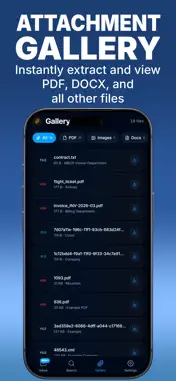
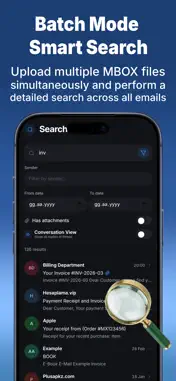
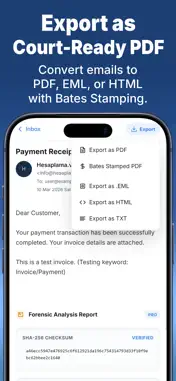
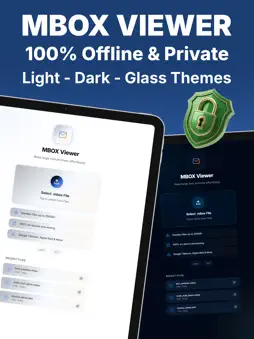
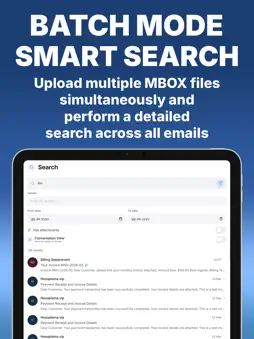
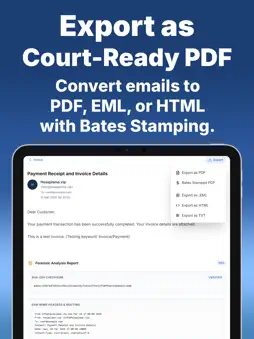
The Ultimate MBOX & EML Forensic Reader Dealing with massive 50GB+ Google Takeout files? Need professional evidence reports? Mbox Viewer Mail File Reader is the most comprehensive, on-device email archive tool. Why Professionals Choose MboxViewer: Privacy First: 100% On-Device. No servers, no clouds. Your data never leaves your iPhone/iPad. Massive Performance: Handles files up to 250GB+ with lightning speed. Attachment Gallery Detailed and Basic Search All-in-One Export: Convert archives to PDF, EML, HTML, or Salt-Text in one tap. Forensic Ready: Extract raw headers, verify SHA-256 digital signatures, and analyze HEX dumps for investigations. Compliance: Generate Bates-numbered PDFs for ready evidence. From IT experts and students to casual users looking for old memories: Mbox Viewer is the gold standard for offline email viewing. Easily open and read large MBOX email files directly on your device. Navigate through your email archives, search for specific messages, and view attachments smoothly without crashing. A fast, secure, and fully offline MBOX reader. (Note: Unlimited viewing file attachments, advanced search filters and more features require a PRO upgrade.) MBOX File Viewer can be used in either dark, light or glass mode and has no security concerns as it's offline. Terms of Use & Privacy Policy: https://jargonix.github.io/mbox-viewer-reader/
What's New
Version 9.0.7 2026-10-26
Minor updates. Technical Analysis
Package Overview Basic metadata
Bundle ID
com.mboxviewer.hy Current Version 9.0.7
Minimum iOS 15.0
Package Size App Store Size
Package Metadata 2 / 7 version records
Detailed binary, privacy manifest, framework, and Info.plist results have not been indexed for this package yet. The verified App Store and archive metadata above remains available.
Developer Information
Known Version Records
2 version records with stored package metadata • 7 known version records
Stored metadata does not guarantee a package is currently available to download.
| Details | Version / IDs | Version date | Action |
|---|---|---|---|
 25.9 MB | v9.0.5 App Store ID: 886087161Build: 9.0.5 | 2026-09-12 01:44:05 | Get Version |
| Not archived | App Store ID: 886028187 | Unknown | Request Version |
| Not archived | App Store ID: 885585391 | Unknown | Request Version |
| Not archived | App Store ID: 884685280 | Unknown | Request Version |
| 16.69 MB | v3.0.0 App Store ID: 884492095Build: 1 | 2026-04-14 11:22:46 | Get Version |
| Not archived | App Store ID: 883465675 | Unknown | Request Version |
| Not archived | App Store ID: 883234515 | Unknown | Request Version |