Preview


Description
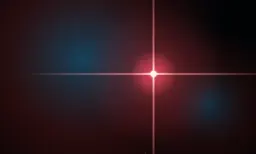
Apophenia an extremely low light visualiser (we like candles). No sound, no stress, just six slow-moving scenes designed for the dark. The name comes from finding pattern in random noise. Each scene is generated live on your TV, using fractals, noise fields, and warm color palettes. Nothing repeats. Nothing settles. Some moments take hours to really develop. The six scenes Ember Flow — Warm noise drifting into soft fractal cusps. Lava lamp meets Mandelbrot. Ember Cubic — A sharper Julia variant. Angular tendrils on the same warm palette. Hubble — A nebula plate, inverted: milky red haze bleeds into deep blue cloud bodies. Rare stars with classic four-spike Hubble diffraction drift in and out — and once in a great while, a "big" one lights up the gas around it. Mandelbulb — A power-8 fractal turning slowly in space, lit warm from above with a cool blue rim along the silhouette. Press up or down on the remote to fall into surface detail. Mandelbox — A cinematic infinite zoom through a constantly morphing fractal. Restrained warm-grey palette, deep blacks. Attractor — A strange attractor traced in glowing particles. The previous frame slowly rotates and decays beneath each new contribution, so trails persist and twist over time. Designed for the dark Every scene fades cleanly to true OLED black around its lit content — no grey haze, no panel glow. Colors are warm-dominant and subdued. Motion is slow by design — most rotations take ten or twenty minutes to complete, so the app stays calm even on long sittings. Smooth on every Apple TV The renderer measures GPU load in real time and adapts the rendering resolution to hold a steady 60 frames per second on every model of Apple TV, regardless of which scene is active. No settings to tune. Remote controls • Swipe or click left / right to cycle between scenes • Up / down zooms into the Mandelbulb • Play/Pause toggles a small performance overlay
Technical Analysis
Package Overview Basic metadata
Bundle ID
computer.uwu.Apophenia Current Version 1.0
Minimum iOS 18.6
Package Size App Store Size
Package Metadata 0 / 0 version records
Detailed binary, privacy manifest, framework, and Info.plist results have not been indexed for this package yet. The verified App Store and archive metadata above remains available.
Developer Information
Known Version Records
0 version records with stored package metadata
Stored metadata does not guarantee a package is currently available to download.
| Details | Version / IDs | Version date | Action |
|---|