Preview




Description
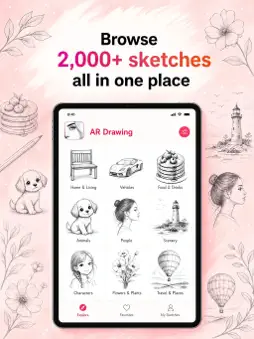
This is an AR drawing and art learning app that gives you a camera that guides your hand, a tool that turns any photo into a drawable outline and an AI that generates custom templates when you do not have a reference — all in one place, whether you are learning to draw for the first time or looking for a smarter way to work with references. Point. Trace. Draw. Learn. Record. Every part of the creative process in a single app. WHAT YOU CAN DO * Use AR Drawing to project any outline or reference directly onto your paper through the camera — trace what you see, match proportions exactly and build muscle memory for shapes you could never draw freehand before * Turn any photo into a clean sketch outline with Photo-to-Sketch and use it as a drawing guide without any manual setup * Generate a custom AI template when you have an idea but no reference — describe what you want to draw and the app creates a structured outline ready to trace or follow * Record every drawing session automatically as a time-lapse and save the finished video to share your process or review your own technique * Follow step-by-step lessons and video lessons to build foundational skills, learn specific techniques and develop at your own pace FEATURE HIGHLIGHTS AR Drawing — augmented reality projection that overlays any reference outline onto your real-world surface through the camera so you can trace, match proportions and build drawing accuracy with physical paper and pen Photo-to-Sketch — converts any photograph into a clean line-art sketch outline ready to use as a drawing template, with no manual tracing or setup required AI Template Generation — generates structured drawing templates from a text description when no photo or existing reference is available Time-lapse Recording — automatic video capture of the full drawing session compressed into a shareable time-lapse that documents your process from blank page to finished piece Step-by-Step Lessons — structured drawing exercises broken into clear sequential stages for building technique progressively Video Lessons — recorded instructional content covering drawing fundamentals, specific styles and techniques at different skill levels SUBSCRIPTION & ACCESS Important: Access to the app requires a subscription and there is no free content available. Payment is charged upon confirmation of your subscription purchase. Your subscription renews automatically at the end of each billing period unless you turn off auto-renewal at least 24 hours before the period closes. You can manage or cancel your subscription at any time through Account Settings after purchase. Privacy policy:https://docs.google.com/document/d/11UKw3VKsEurKLPldtioQcbGfTPMiiuX1I_ohQjB69E4/edit?usp=sharing Terms of Use: https://docs.google.com/document/d/1G78k9cKnQdyWEgWrA2f8-_aK1XMMPTzacO1GWRCi1yg/edit?usp=sharing
What's New
Version 2.6.2 2026-09-03
Thanks for using the app. In this update, we improved the AR drawing flow and made Photo-to-Sketch feel smoother. We also fixed minor issues to improve overall ... Technical Analysis
Package Overview Basic metadata
Bundle ID
com.marvel.weeded Current Version 2.6.2
Minimum iOS 18.0
Package Size App Store Size
Package Metadata 1 / 4 version records
Detailed binary, privacy manifest, framework, and Info.plist results have not been indexed for this package yet. The verified App Store and archive metadata above remains available.
Known Version Records
1 version record with stored package metadata • 4 known version records
Stored metadata does not guarantee a package is currently available to download.
| Details | Version / IDs | Version date | Action |
|---|---|---|---|
| 81.3 MB | v2.6.1 App Store ID: 887289189Build: 2.6.1 | 2026-06-23 13:35:17 | Get Version |
| Not archived | App Store ID: 885956862 | Unknown | Request Version |
| Not archived | App Store ID: 883837724 | Unknown | Request Version |
| Not archived | App Store ID: 883055232 | Unknown | Request Version |