
Preview


Description
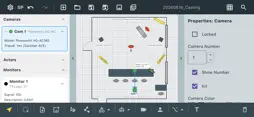
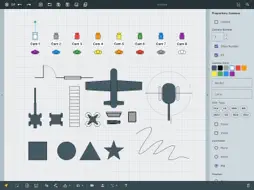
Set Planner is a professional tool for film and TV set design. Build floor plans quickly, communicate your vision to the crew, and export to JPEG or PDF in seconds. Cameras Place cameras with customizable lens angle, focal length, and field of view. Name each camera and link a label that moves with it. Lock proportions or enable free resize per element. Actors & Equipment Add actors, monitors, keyboards, and custom library items to your plan. Choose which elements can be resized and which stay fixed — per object. Rigs Place JIB Crane, Dolly, Rails, and Drone rigs with labeled dimensions. JIB and Rail support height-only resize by default; width resize can be unlocked separately. Architecture Draw walls freehand and snap doors and windows directly onto them. Walls, doors, and windows maintain correct proportions when scaled. Drawing Tools Pen and Polyline for freehand and multi-point paths Line and Arrow with optional arrowheads at start and end Rectangle, Ellipse, Triangle, and Star with adjustable fill and stroke Text labels anywhere on the canvas Bezier Curve Editing Enable Bezier handle levers for any smooth curve — Pen, Polyline, Line, or Arrow. Drag the green control handles on the canvas to shape each segment precisely. Handles move with the object, stay consistent when you add or remove knot points, and arrow heads align to the true curve tangent at the endpoint. Precision Controls Enter Width and Height numerically for geometric shapes Adjust arrow head length (10–50 pt) per element Set curve simplification distance before applying Snap to grid with configurable grid size Group, lock, and reorder elements freely Export Save your plan as a native .splan project file, export to JPEG for sharing, or generate a multi-page PDF ready for print. Works on iPhone, iPad, and Mac.
What's New
Version 2.9.9 2026-10-11
- **New: Architecture section** in the equipment list panel (Walls, Doors, Windows) — walls that fully enclose a space are automatically grouped into a single *... Technical Analysis
Package Overview Basic metadata
Bundle ID
com.flytek.setPlanner Current Version 2.9.9
Minimum iOS 15.0
Package Size App Store Size
Package Metadata 0 / 0 version records
Detailed binary, privacy manifest, framework, and Info.plist results have not been indexed for this package yet. The verified App Store and archive metadata above remains available.
Price History (USA store)
2 recorded price change points. These are historical observations, not a guarantee of the current price.
| Recorded at | Price | Currency |
|---|---|---|
| 0.99 | USD | |
| 4.99 | USD |
Known Version Records
0 version records with stored package metadata
Stored metadata does not guarantee a package is currently available to download.
| Details | Version / IDs | Version date | Action |
|---|