
Preview




Description
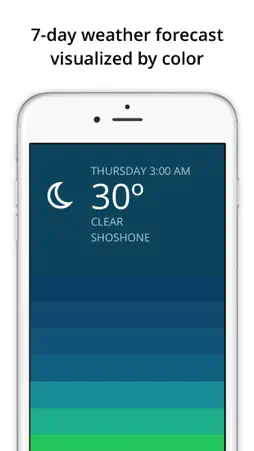
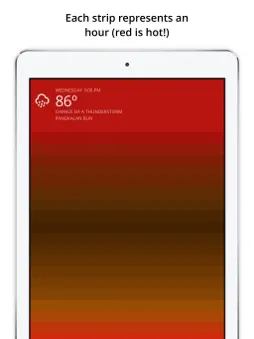
Blue visualizes your 2-day weather forecast in a fast and colorful interface. Swipe up to see hourly weather represented by color in a unique visual gradient, helping you quickly recognize weather patterns and plan your day accordingly. Hourly colors are calculated based several metrics including the temperature, humidity, and sunrise/sunset times for your current location. Seeing blue? You'll want to grab a warm coat. Seeing purple? Stay inside with a cup of hot cocoa! Purple - extremely cold. Blue - cold winter day. Green - feeling cool. Yellow - room temperature. Orange - feeling warm. Red - hot summer day. Pink - extremely hot. Temperatures are shown in either Fahrenheit or Celsius (controlled by your iOS region settings). FAQ Q: How do I change my location? A: Use your feet. Blue is a minimal app designed to show weather for your current physical location. Q: How do I change to Fahrenheit or Celsius? A: Blue automatically shows the appropriate unit for your selected country/region. To change your region go to iOS Settings > General > Language & Region > Region. All regions use Celsius except United States, Bahamas, Belize, Cayman Islands, and Palau which use Fahrenheit. Q: How do I change my language preference? A: Blue will automatically use your preferred language where possible. To change your language, go to iOS Settings > General > Language & Region > iPhone Language. See a gallery of weather from around the world (and submit your screenshot): http://partlyblue.tumblr.com
What's New
Version 1.5.3 2023-10-02
Apologies! Some legacy code from DarkSky was tripping up Blue on launch, so everything is fully migrated to OpenWeather now. Thank you to all who notified us ab... Technical Analysis
Package Overview Basic metadata
Bundle ID
com.oak.blue Current Version 1.5.3
Minimum iOS 12.0
Package Size App Store Size
Package Metadata 1 / 6 version records
3.8 / 5.0 (69 ratings)
Detailed binary, privacy manifest, framework, and Info.plist results have not been indexed for this package yet. The verified App Store and archive metadata above remains available.
Developer Information
Known Version Records
1 version record with stored package metadata • 6 known version records
Stored metadata does not guarantee a package is currently available to download.
| Details | Version / IDs | Version date | Action |
|---|---|---|---|
 359.17 KB | v1.5.3 App Store ID: 860360317Build: 1.5.3 | 2023-10-02 13:35:04 | Get Version |
| Not archived | App Store ID: 856451152 | Unknown | Request Version |
| Not archived | App Store ID: 841425994 | Unknown | Request Version |
| Not archived | App Store ID: 812999487 | Unknown | Request Version |
| Not archived | App Store ID: 13666669 | Unknown | Request Version |
| Not archived | App Store ID: 13498258 | Unknown | Request Version |