
Preview



Description
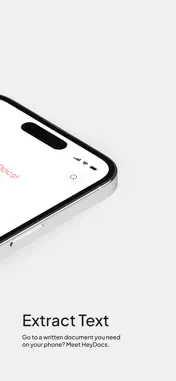
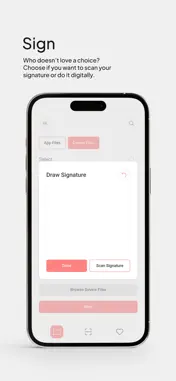
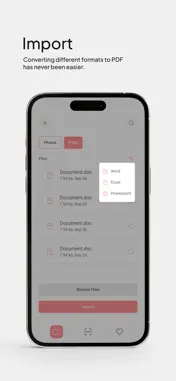
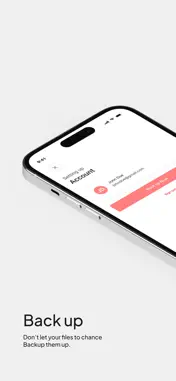
HeyDocs has everything in one place, from importing documents, merging multiple PDF files, signing documents digitally, to digitizing text into documentation. The ideal app to complete several tasks, be it for school, the office, or a quick documentation procedure. If you need a place to back up your documents or share them with someone, our cloud services can come in handy. - Import any file from your phone onto the app, removing the process of looking for it every now and then. - Merge different PDF files into one, saving you time and reducing clutter. - Sign documents digitally, making your document more trustworthy, speeding up the process. - Convert text into PDF via HeyDocs, letting it format your documents and making it universally compatible. - Backup your documents onto Google Drive. - Save important documents or the ones you visit often in a separate Favorites folder, easily accessible from the 'navigation bar.' - Create different folders based on your needs and add them to your Favorites list. Scroll below to study what HeyDocs' has to offer, in detail: 1. Importing documents Select images from your device's gallery and convert them into PDFs. Worry not if you have files in different formats. Use HeyDocs to your advantage and import files as per your needs. 2. Merge documents HeyDocs enables you to merge different PDF files into a single document. This not only simplifies the process but also allows you the space to mix and match when a need for it falls. 3. Image to Text For instance, you have an image that contains about 200 words. Writing it all down then scanning it seems like a task so lengthy, you might just avoid doing it altogether. But you've now got an app that can convert images to text. Ideal for those on-the-run. 4. Text to PDF Now that you've got text extracted from your image, it's clear you need a PDF file. Create a custom PDF file just the way you need it. 5. Sign documents Got a document you need to sign but it's already on your machine? Use HeyDocs to your advantage by either drawing your signature directly within the app or scanning a physical one. 6. No Watermarks Watermarks have been ruining documents for a while now and it's time we get rid of them. Scan and merge your documents with ease knowing there is no watermark impacting the look of your file.
Technical Analysis
Package Overview Basic metadata
Bundle ID
com.o3i.HeyDocs Current Version 1.0
Minimum iOS 16.0
Package Size App Store Size
Package Metadata 0 / 1 version records
0.0 / 5.0 (0 ratings)
Detailed binary, privacy manifest, framework, and Info.plist results have not been indexed for this package yet. The verified App Store and archive metadata above remains available.
Known Version Records
0 version records with stored package metadata • 1 known version records
Stored metadata does not guarantee a package is currently available to download.
| Details | Version / IDs | Version date | Action |
|---|---|---|---|
| Not archived | App Store ID: 878953202 | Unknown | Request Version |