
Preview

Description
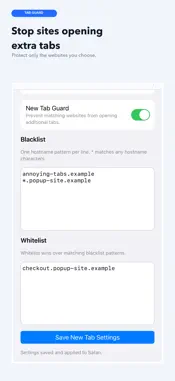
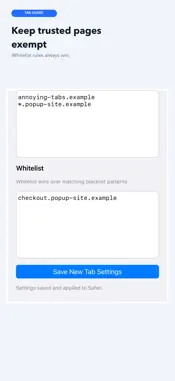
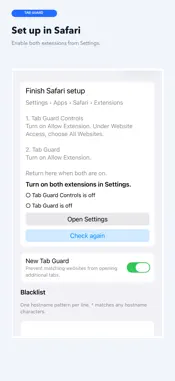
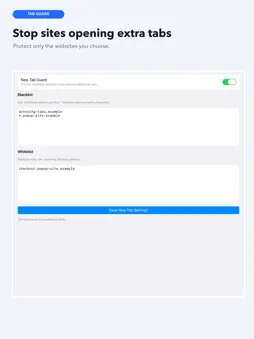
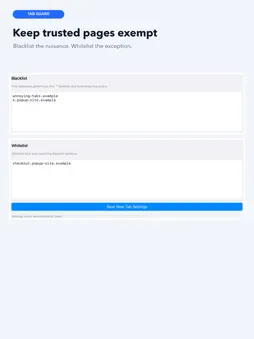
Tab Guard keeps selected websites from opening unwanted new tabs on iPhone, iPad, and Mac. Choose the websites where links and forms should stay in the tab you are using. Add hostname patterns for sites you want to guard, then use a whitelist for the exceptions that should still be able to open a new tab. How it works: • Guard selected hostnames with exact matches or * wildcard patterns. • Let whitelist patterns override matching blacklist patterns. • Keep ordinary same-tab browsing unchanged. • Enable Tab Guard only where you need it; other websites are not affected. Privacy is straightforward: Tab Guard has no account, analytics, advertising, remote filter list, or product backend. Your settings stay on your device. Tab Guard requires iOS or iPadOS 18 or later, or macOS 15 or later. On iPhone and iPad, activate it in Settings > Apps > Safari > Extensions. On Mac, activate it in Safari > Settings > Extensions. Turn on both extensions and allow Tab Guard Controls on all websites.
Technical Analysis
Package Overview Basic metadata
Bundle ID
com.nullflip.apps.safaritabguard Current Version 1.0.0
Minimum iOS 18.0
Package Size App Store Size
Package Metadata 0 / 0 version records
Detailed binary, privacy manifest, framework, and Info.plist results have not been indexed for this package yet. The verified App Store and archive metadata above remains available.
Developer Information
Known Version Records
0 version records with stored package metadata
Stored metadata does not guarantee a package is currently available to download.
| Details | Version / IDs | Version date | Action |
|---|