
Preview





Description
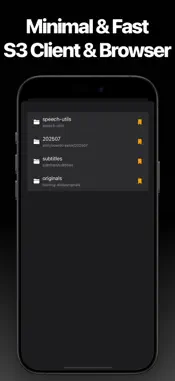
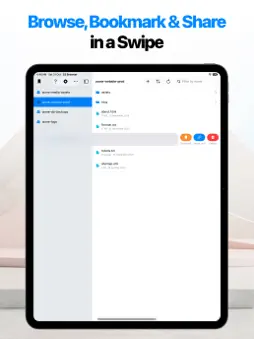
S3 Browser is a fast, simple way to manage your cloud storage on iPhone. Connect to Amazon S3 or any S3-compatible service, then browse, preview, upload and share files from wherever you are. WORKS WITH YOUR STORAGE • Amazon Web Services (S3) • Cloudflare R2 • Backblaze B2 • Wasabi • DigitalOcean Spaces • Linode Object Storage • MinIO and other self-hosted storage • Any custom S3-compatible endpoint Paste an endpoint or bucket URL and the bucket and region fill in for you. Buckets in other AWS regions or R2 jurisdictions are found automatically. If something doesn’t look right, such as swapped keys, a dashboard URL instead of an endpoint, or an API token instead of access keys, the app points it out before you connect. BROWSE AND PREVIEW • Move through buckets and folders quickly, even very large ones • View photos full screen and preview documents with Quick Look • Sort and filter any folder • See file details such as size, type, storage class and last modified date • Bookmark the buckets and folders you use most UPLOAD AND DOWNLOAD • Upload files of any size, up to the 5 TB S3 limit • Large files go up in parts and recover from network hiccups automatically • Downloads stream straight to disk with live progress • A transfer queue shows everything in progress. Cancel, retry or save any transfer • Transfers keep going when you switch apps, with progress in a Live Activity SHARE FILES AND FOLDERS • Send a time-limited link straight to any file • Choose Direct Download so the file saves instead of opening in the browser • Share a whole folder, or a single file, as a clean download page anyone can open • Links are signed on your device, and pages expire with their links MANAGE FILES • Create, rename, duplicate and delete files and whole folders • Bookmarks follow files and folders you rename • Copy a file’s key or S3 URI • Restore archived Glacier and Deep Archive files KEYS THAT FIT YOUR SETUP • Add as many accounts as you need • Use keys limited to specific buckets, such as Cloudflare R2 API tokens • Read-only keys work too. The app hides actions they can’t use, so you can browse and download safely • Clear explanations when keys, endpoints or buckets don’t work, so you know what to fix PRIVATE BY DESIGN • Your keys are stored securely in the iOS Keychain and never leave your device • The app talks directly to your storage provider. No account, no tracking • Download pages are optional. They hold only the signed links you choose to share, never your keys • Small and fast, with no third-party code Privacy Policy: https://nufrnd.com/privacy-policy?app=s3-browser Terms of Use: https://www.apple.com/legal/internet-services/itunes/dev/stdeula/
What's New
Version 1.3.0 2026-11-09
• Shared Links: see every download page you've shared and take any of them down. • Share a folder from its toolbar, or tap its title for quick actions. • Better...• Shared Links: see every download page you've shared and take any of them down. • Share a folder from its toolbar, or tap its title for quick actions. • Better download pages: download a folder as a zip, and see thumbnails of photos and videos. • Tidier Transfers: finished uploads clear on their own. • Refreshed app icon. Technical Analysis
Package Overview Basic metadata
Bundle ID
com.S3Browser Current Version 1.3.0
Minimum iOS 18.6
Package Size App Store Size
Package Metadata 1 / 2 version records
Detailed binary, privacy manifest, framework, and Info.plist results have not been indexed for this package yet. The verified App Store and archive metadata above remains available.
Developer Information
Known Version Records
1 version record with stored package metadata • 2 known version records
Stored metadata does not guarantee a package is currently available to download.
| Details | Version / IDs | Version date | Action |
|---|---|---|---|
| 11.09 MB | v1.0.1 App Store ID: 879034883Build: 1.0.1 | 2025-10-20 12:19:26 | Get Version |
| Not archived | App Store ID: 876781057 | Unknown | Request Version |