Preview



Description
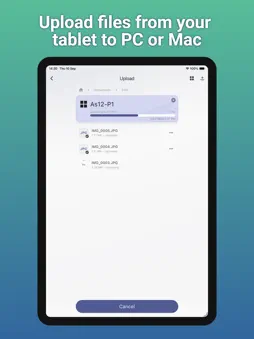
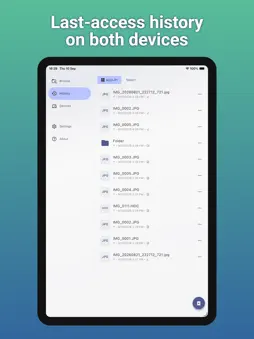
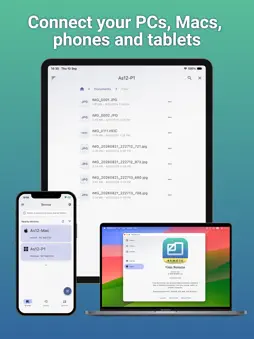
Files Remote is a cross-platform local-network file browser for iPhone, iPad, Mac, and Windows. Choose specific folders to share from a Mac or Windows host, then browse them from a paired device on the same Wi-Fi or LAN. Readers with Read permission can navigate shared folders, inspect file details, download files, and save, share, or open received copies using the options available on their device. When the host grants Read & Write access, they can also create folders, upload files, rename items, and request deletion. Files Remote is designed for private access between nearby devices. New pairings require approval, requests are encrypted, device certificates are pinned, and each host stores its own permissions. Files are transferred directly between your devices instead of being uploaded to a Files Remote cloud service. Browse in list or grid view, sort by name, date, size, or type, filter the current folder, select multiple files, follow transfer progress, resolve upload conflicts, and review completed work in History. Use Files Remote to bring computer documents to a phone, send mobile photos to a desktop folder, collect files during a meeting, or manage a trusted home or office computer without setting up a cloud drive.
What's New
Version 1.0.2 2026-11-10
Drag-n-drop to other apps, network connectivity and discovery improvements, bug fixes Technical Analysis
Package Overview Basic metadata
Bundle ID
com.ntwind.remote.files Current Version 1.0.2
Minimum iOS 15.0
Package Size App Store Size
Package Metadata 0 / 0 version records
Detailed binary, privacy manifest, framework, and Info.plist results have not been indexed for this package yet. The verified App Store and archive metadata above remains available.
Developer Information
Known Version Records
0 version records with stored package metadata
Stored metadata does not guarantee a package is currently available to download.
| Details | Version / IDs | Version date | Action |
|---|