Preview




Description
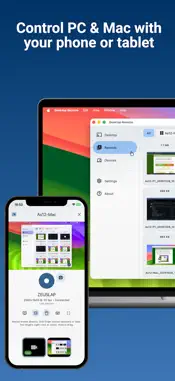
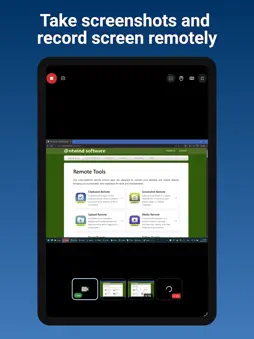
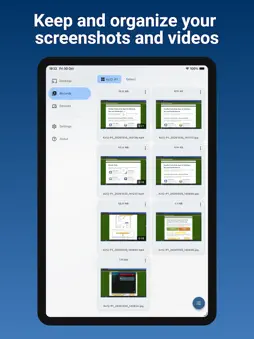
Desktop Remote is built for viewing and recording the screen of a Windows PC or Mac from your phone or tablet. Pair an iPhone or iPad with your computer on the same Wi-Fi or local network, then watch the screen live, take screenshots, or start and stop a screen recording without returning to the desk. Use it to check a task running on your computer, follow a screen demonstration from another seat, capture a result, or record a walkthrough. If you need to click, scroll, or type, enable optional mouse and keyboard control with permission from the sharing computer. Viewing and recording do not require remote input to be enabled. Choose a monitor when the computer has more than one display. JPEG screenshots and H.264/MP4 recordings are created on the sharing computer from the selected monitor. Completed captures transfer to your device and appear in Records for review, saving, sharing, or deletion. Desktop Remote connects directly over your trusted local network. There is no account, cloud desktop service, public sharing link, advertising, analytics, or internet relay. Pairing requires approval, and the sharing computer separately grants access to viewing, screenshots, recording, monitor selection, mouse control, and keyboard control. iPhone, iPad, Mac, and Windows can view screens and store Records. Mac and Windows can also share their screens. Active viewing, control, and recording are visibly indicated on the sharing computer, which can end the session at any time. Use only with authorization to view, record, or control the computer and its content. Both devices must be on the same reachable local network.
Technical Analysis
Package Overview Basic metadata
Bundle ID
com.ntwind.remote.desktop Current Version 1.0.1
Minimum iOS 15.0
Package Size App Store Size
Package Metadata 0 / 0 version records
Detailed binary, privacy manifest, framework, and Info.plist results have not been indexed for this package yet. The verified App Store and archive metadata above remains available.
Developer Information
Known Version Records
0 version records with stored package metadata
Stored metadata does not guarantee a package is currently available to download.
| Details | Version / IDs | Version date | Action |
|---|