Preview




Description
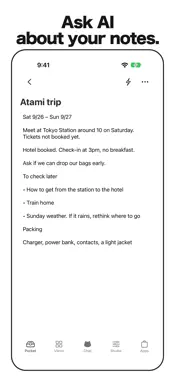
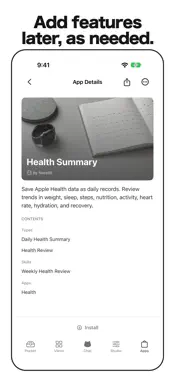
Your records can do more than sit in a log. NoraPocket brings your separate records together. Ask the AI advisor Nora for observations and a next step across training, sleep, meals, and weight—perspectives that are harder to see in a single-purpose app. Add records by taking a photo, attaching a file, or writing: - Upload a photo, PDF, or file and AI structures the contents. - Enter information manually and AI organizes the fields. - AI generates templates automatically. Choose or create the format you need. Ask Nora about records you have added, and Nora answers across them (for example, “What might be related to my stalled bench press?”). Set up a Skill to receive periodic observations from its results. You can choose health data to import read-only from Apple Health (HealthKit) and save it as aggregated daily values. Select only the additional data types you need in Settings. You do not have to replace the records you already keep. Bring records from other apps into NoraPocket by taking a photo, attaching a file, or writing, then ask Nora for a broader view. The same goes for household finances and work. Turn your logs into information you can use to decide what to do next. AI features require your consent. The initial consent screen lists the third-party AI providers that receive data (Anthropic, OpenAI, Google, and xAI) and web search, and you allow them with a single consent. Record-aware web search and health data are asked about separately. You can turn AI processing on or off at any time in Settings. Terms of Use: https://pocket.norabit.dev/en/terms/ Privacy Policy: https://pocket.norabit.dev/en/privacy/ EULA: Apple's Standard EULA (https://www.apple.com/legal/internet-services/itunes/dev/stdeula/)
What's New
Version 1.36 2026-11-15
Records can now have attachment fields for photos and files. Record edits are saved only when you tap Save. You can pin Drive folders and files to Home. On the ...Records can now have attachment fields for photos and files. Record edits are saved only when you tap Save. You can pin Drive folders and files to Home. On the capture result screen, you can add a hint and read the document again. Chat now shows a one-line status while a task runs. This update also includes minor bug fixes and stability improvements. Technical Analysis
Package Overview Basic metadata
Bundle ID
dev.norabit.pocket Current Version 1.36
Minimum iOS 17.0
Package Size App Store Size
Package Metadata 0 / 0 version records
Detailed binary, privacy manifest, framework, and Info.plist results have not been indexed for this package yet. The verified App Store and archive metadata above remains available.
Developer Information
Known Version Records
0 version records with stored package metadata
Stored metadata does not guarantee a package is currently available to download.
| Details | Version / IDs | Version date | Action |
|---|