Preview







Description
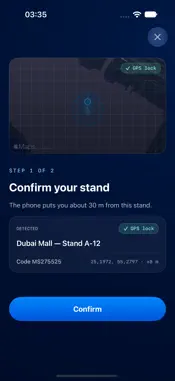
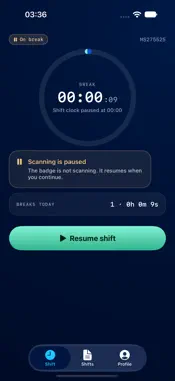
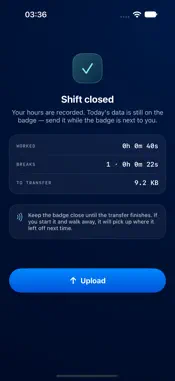
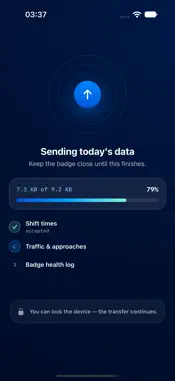
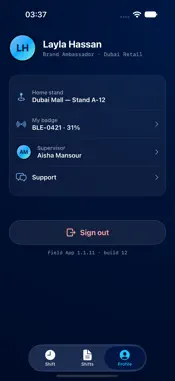
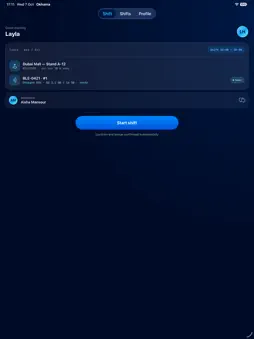
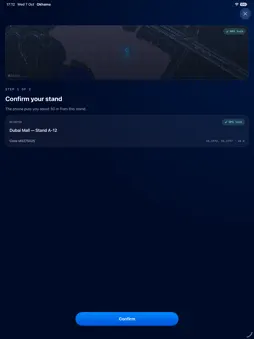
Okhama is the field companion to the NUMUHQ Enterprise traffic-monitoring platform. Staff working at monitored retail locations use it to run their shift and to hand the day's measurements to the platform. START AND END A SHIFT Okhama checks you are at your assigned location, pairs with your NUMU badge, and opens the shift on both at once. Breaks are one tap, and the badge pauses and resumes with them — so what the badge recorded and what the platform was told never disagree. HAND OVER THE DAY'S DATA At the end of a shift the badge is holding a file of everything it measured. Okhama collects it over Bluetooth, keeps it on the phone until the platform confirms receipt, and only then lets the badge erase its copy. A transfer interrupted by distance or a dropped link resumes from the byte it stopped on. SEE YOUR OWN NUMBERS Hours worked, breaks taken and data delivered — for today, and for the weeks behind you. KEEP AN EYE ON THE BADGE Battery, storage and state are read from the badge's own broadcast, so you learn it needs charging before a shift rather than halfway through one. BUILT FOR THE FLOOR Large targets, high contrast and a dark interface for shop-floor lighting. Works on iPhone and iPad. REQUIREMENTS Okhama works with a NUMU badge — a Bluetooth LE device issued with your assignment — and an account on the NUMUHQ Enterprise platform. Accounts are issued by your employer; the app does not offer registration. Support: [email protected]
What's New
Version 1.1.13 2026-11-03
Schedule and shift start The app now reads your own schedule from the platform, so hours set for you appear on the Today screen instead of “No shift scheduled”...Schedule and shift start The app now reads your own schedule from the platform, so hours set for you appear on the Today screen instead of “No shift scheduled”. A stand’s own shift hours are read as well, and are used when you have no personal schedule for the day. A shift can no longer be started outside its scheduled hours. Starting late within them still works. A stand’s hours only apply on the days that stand is open; on other days a shift can be started at any time. Where a supervisor has allowed it, a shift can be started away from the stand. The shift is recorded as started off-site, and it is not paused for being away from the stand afterwards. Badge The badge’s clock is set as soon as the app sees a badge waiting for the time, rather than only when a shift starts. Fewer badges sit unusable, and their logs carry the right times. The badge’s own health log is collected at the end of a shift and sent to the platform, alongside the shift file. The shift file and the health log now come off the badge in a single transfer. End of shift One progress bar now covers everything the badge hands over, not just the shift file. The bar follows the transfer as it happens; it used to fall behind and keep filling after the badge had finished. Sending to the platform is now its own step on screen, instead of a full bar that appeared to have stalled. Uploads Shift files larger than about a megabyte now upload. They previously failed and were reported as a missing network. When an upload does fail, the app says why — no connection, a dropped connection, a timeout, or the platform’s own reason — instead of always blaming the network. Uploads waiting in the queue are now sent when you reopen the app. Anything queued by an earlier version will go up on its own. Technical Analysis
Package Overview Basic metadata
Bundle ID
com.numuhq.fieldapp Current Version 1.1.13
Minimum iOS 17.0
Package Size App Store Size
Package Metadata 0 / 0 version records
Detailed binary, privacy manifest, framework, and Info.plist results have not been indexed for this package yet. The verified App Store and archive metadata above remains available.
Known Version Records
0 version records with stored package metadata
Stored metadata does not guarantee a package is currently available to download.
| Details | Version / IDs | Version date | Action |
|---|