
Preview




Description
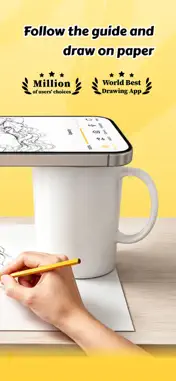
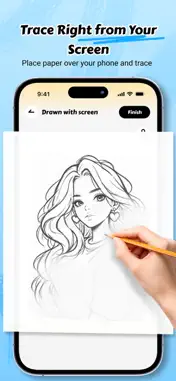
Trace, draw, color, and create pixel art—all in one app. Turn your phone into an AR drawing guide and bring your ideas to life. Trace images onto paper, add color with a variety of brushes, or unwind with tap-to-fill pixel art. Whether you’re a beginner practicing linework or simply looking for a relaxing creative break, AR Drawio makes it easy to get started. No drawing tablet or bulky projector needed. Choose a mode, pick an image, and create at your own pace. AR DRAWING & TRACING Turn a real surface into your canvas. Position a reference image with your camera, secure your phone, and follow the guide as you draw. Practice shapes, proportions, and linework step by step. AR Projection Mode Place an image over your paper using the camera view, then trace the lines onto your drawing surface. Light Box Mode Display a reference image on your screen and trace it onto a thin sheet of paper placed over your phone. COLOR YOUR WAY Explore a collection of illustrations and make each one your own. Choose your colors, switch between brush styles, and add different strokes and effects to your artwork. Choose from a variety of brushes and colors Zoom in to work on small details Undo, redo, and recolor as you create Save your finished artwork PIXEL COLORING Tap numbered cells to reveal charming pixel art one section at a time. Follow the color guide for a relaxing, easy-to-enjoy experience, and use the hint tool to locate cells. Explore pixel pictures featuring animals, nature, food, fantasy, holidays, and more. Pixel pictures can be enjoyed offline, so you can color wherever you are. A FRESH COLLECTION TO EXPLORE Browse a variety of themes, including Christmas, animals, flowers, scenery, fashion, food, cute characters, vehicles, and Halloween. New pictures are added regularly, giving you fresh inspiration for your next drawing or coloring session. Complete an artwork, watch its time-lapse, and save your creations to enjoy later. DRAWING TOOLS THAT HELP Adjust image opacity for easier tracing Change brightness and contrast to suit your surroundings Choose from multiple brush styles for varied strokes Flip or reset your reference image with a tap Lock the screen to help prevent accidental movement Use hints to find numbered pixel cells MADE FOR CURIOUS CREATORS Beginners learning to draw with a visual guide Anime and manga fans practicing character sketches Hobby artists tracing favorite images Anyone who enjoys coloring, pixel art, or a calming creative break PHOTO-TO-STENCIL CONVERTER Turn a photo from your gallery into a clean, traceable outline. Create drawing guides from portraits, pets, landscapes, and other favorite pictures. Trace a picture, explore different brushes, choose your colors, and reveal pixel art. Your next creative moment starts with AR Drawio. Privacy Policy: https://sites.google.com/view/ardrawioprivacypolicy Terms of Use: https://sites.google.com/view/ar-drawio-user-agreement
What's New
Version 1.0.6 2026-11-02
fix bugs Technical Analysis
Package Overview Basic metadata
Bundle ID
com.mimi.cdraw.ar Current Version 1.0.6
Minimum iOS 15.0
Package Size App Store Size
Package Metadata 0 / 4 version records
Detailed binary, privacy manifest, framework, and Info.plist results have not been indexed for this package yet. The verified App Store and archive metadata above remains available.
Developer Information
Known Version Records
0 version records with stored package metadata • 4 known version records
Stored metadata does not guarantee a package is currently available to download.
| Details | Version / IDs | Version date | Action |
|---|---|---|---|
| Not archived | App Store ID: 893061200 | Unknown | Request Version |
| Not archived | App Store ID: 891910607 | Unknown | Request Version |
| Not archived | App Store ID: 890757828 | Unknown | Request Version |
| Not archived | App Store ID: 889541406 | Unknown | Request Version |