
Preview


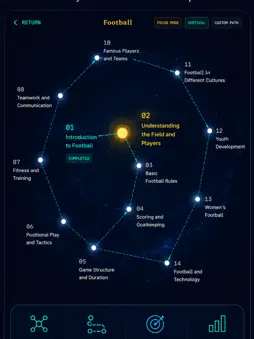

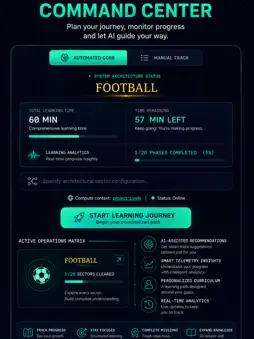
Description
Welcome to Project Z, the ultimate interactive tracking and visualization platform designed for space enthusiasts, students, and aerospace hobbyists. Step into the command center and explore the complexities of orbital mechanics and space flight through stunning, real-time visual engines. Powered by advanced calculations and integrated Apple AI frameworks, Project Z brings complex cosmic data right to your fingertips, helping you visualize flight paths with smart telemetry predictions Key Features: • Advanced Orbital Mapping: Visualize real-time orbital paths and trajectories with high-fidelity tracking tools. • Intelligent Telemetry Insights: Leverage on-device Apple AI models to analyze simulated telemetry streams and predict trajectory alterations. • Interactive Atmospheric Reentry: Simulate, calculate, and visualize the critical physics of vehicles returning through atmospheric layers. • Cosmic Portals & Visuals: Immerse yourself in highly detailed space visuals designed to make complex data easy to interpret. Download Project Z today and start charting the stars! Terms of Use (EULA): https://www.apple.com/legal/internet-services/itunes/dev/stdeula/ Privacy Policy: https://high-on-codes.github.io/ProjectZ/legal.html
What's New
Version 1.1.0 2026-10-19
Project Z 1.1 — the biggest update yet • Focus Sessions: run a focus timer on any step, live on your Lock Screen and Dynamic Island • Home Screen widgets: see y...Project Z 1.1 — the biggest update yet • Focus Sessions: run a focus timer on any step, live on your Lock Screen and Dynamic Island • Home Screen widgets: see your next step and tick it off right from your Home Screen • Knowledge Checks: AI-generated quizzes to test what you’ve learned, on-device and private • Mission Stats: streaks, weekly progress and an activity heatmap • Daily reminders that name your next step • Micro-task progress: checking off micro-tasks now moves your progress, and finishing them all clears the step • Smarter time estimates for every step • Welcome-back warm-ups when you return to a roadmap after a break • Share roadmaps as files and import them with one tap • Backup & Restore: save all your roadmaps to iCloud Drive or Files • Better document import: PDF, Word, PowerPoint, RTF and text files now work • Fixes: notes and micro-tasks no longer get lost when a step is deleted, added steps now save properly, and the home screen no longer slides under the Dynamic Island A note from me: Thank you for learning with Project Z. Your roadmaps, streaks and progress all carry over into this update. Back up your roadmaps from Settings now and then, and automatic iCloud sync is coming next. If you enjoy the app, a quick review on the App Store helps more than you’d think. Keep exploring. Technical Analysis
Package Overview Basic metadata
Bundle ID
com.noaman.ProjectZ.v2 Current Version 1.1.0
Minimum iOS 26.5
Package Size App Store Size
Package Metadata 0 / 0 version records
Detailed binary, privacy manifest, framework, and Info.plist results have not been indexed for this package yet. The verified App Store and archive metadata above remains available.
Developer Information
Known Version Records
0 version records with stored package metadata
Stored metadata does not guarantee a package is currently available to download.
| Details | Version / IDs | Version date | Action |
|---|