
Preview

Description
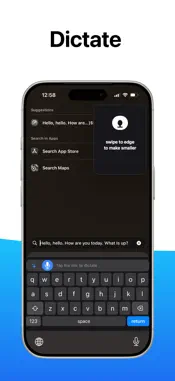
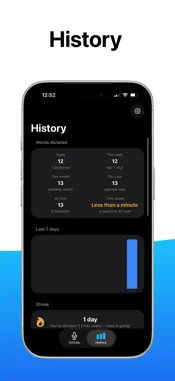
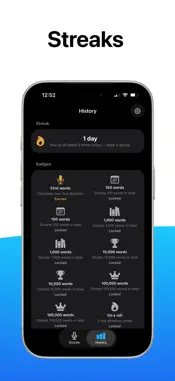
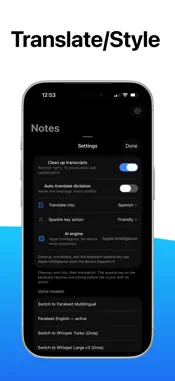
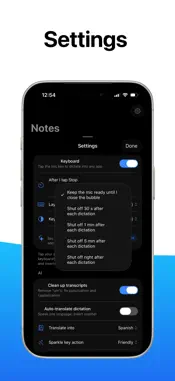
Type with your voice, anywhere on iPhone. keyboardSTT is a private, on-device dictation keyboard. Tap the mic and speak in any app — Messages, Mail, Notes, Safari, Slack — and get fast, accurate text inserted right at the cursor. No cloud uploads, no account, no subscription. It just works, even in airplane mode. BUILT FOR SPEED & PRIVACY • 100% on-device speech-to-text powered by Parakeet running on the Apple Neural Engine • Works offline — perfect for flights, bad Wi-Fi, or private thoughts • No account, no tracking, your audio never leaves your iPhone • 25+ languages with automatic detection (Multilingual model) or ultra-accurate English-only mode DICTATE YOUR WAY • Dictation Keyboard: full QWERTY keyboard with mic key — type and dictate in any app • Siri + Action Button: say “Hey Siri, dictate with keyboardSTT” or press your Action Button to start instantly • Floating Overlay: keep talking while you switch apps — text is copied to your clipboard automatically • Notes Inbox: every dictation is saved as a searchable note with titles, previews, and one-tap copy MADE FOR IPHONE • Native iOS design with large titles, swipe-to-delete, system search, and Dark Mode • Haptic feedback on every tap (with mute toggle) • Words-per-day stats, streaks, time saved, and earnable badges • System / Light / Dark appearance picker HOW TO ENABLE THE KEYBOARD 1. Open iPhone Settings > General > Keyboard > Keyboards > Add New Keyboard > keyboardSTT 2. Turn on Allow Full Access 3. In any app, tap the globe key to switch to keyboardSTT, then tap the mic to dictate Private. Fast. Offline. Download keyboardSTT and stop typing. Requires iPhone or iPad running iOS 17 or later. First launch downloads the on-device AI model once (~480 MB over Wi-Fi), then everything runs locally forever.
Technical Analysis
Package Overview Basic metadata
Bundle ID
com.nodog.keyboardSTT Current Version 1.0
Minimum iOS 17.0
Package Size App Store Size
Package Metadata 0 / 0 version records
Detailed binary, privacy manifest, framework, and Info.plist results have not been indexed for this package yet. The verified App Store and archive metadata above remains available.
Developer Information
Known Version Records
0 version records with stored package metadata
Stored metadata does not guarantee a package is currently available to download.
| Details | Version / IDs | Version date | Action |
|---|