
Preview





Description
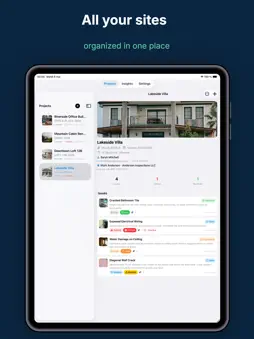
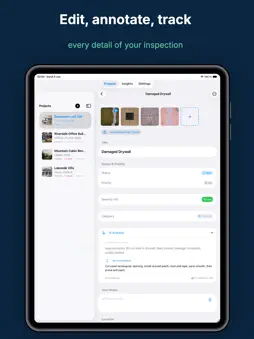
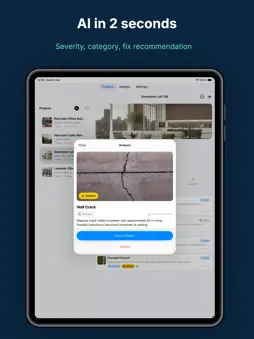
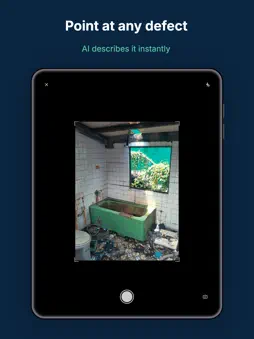
Punch List AI turns a photo of a defect into a finished inspection report. Point your camera at the problem on site. The AI drafts the description, severity, category and recommended fix in seconds. You check it, edit it, and it goes on the report as your own finding. FOR SITE AND HOME INSPECTIONS • Punch lists, deficiency lists, pre-closing walkthroughs, warranty and move-in/move-out inspections • Room-by-room checklists: new-build handover, rental move-in and move-out, commercial fit-out and fire safety walks, or your own • Used by home inspectors, general contractors, superintendents, project managers, architects and property managers CAPTURE • Photo first: shoot on site or import several photos at once • Markup on photos, with Apple Pencil on iPad • Voice dictation for notes • Works offline; only the AI analysis needs a connection TRACK AND CLOSE • Status, severity, priority, trade, location, due date and the contractor each item is assigned to • Search, filters and bulk changes • After photo when the fix is done, with who verified it and when; the report shows Before and After • Photos carry the time and, if you allow it, the GPS position REPORT • PDF in one tap, with real text you can search and copy • Ten themes and three layouts, including a schedule grouped by contractor to hand out to the trades • Your own wording: report title, headings, an introduction and closing remarks • Your signature, and the client's signature at handover, on the cover • CSV for Excel or Google Sheets, alone or zipped with every photo SYNC AND PRIVACY • iCloud sync between iPhone and iPad, included free • No account to create: your data stays on your devices and in your private iCloud • Photos are sent to the AI only when you ask, and never used for anything else • No third-party tracking FREE PLAN AND PRO Free plan: 1 project, 5 items per project, 3 photos per item, all ten themes and three layouts, PDF reports with a watermark, CSV export. Pro: unlimited projects and items, up to 100 photos per item, reports without the watermark and with your logo, editable Word reports, AI Insights across your projects. Pro starts with 7 days free, then $9.99/month or $59.99/year (save 50%). Nothing is charged during the trial: cancel before day 7 and you pay nothing. Subscriptions renew automatically unless cancelled at least 24 hours before the end of the period. Manage or cancel in your iPhone Settings. SUPPORT Questions and requests are read by a person: [email protected] User guide, templates and checklists: punchlistai.app Terms of use: https://punchlistai.app/terms/ Privacy policy: https://punchlistai.app/privacy/
What's New
Version 1.3.0 2026-10-27
The biggest update since launch. Everything below works on the free plan, except the Word export, which is Pro. REPORTS THAT LOOK LIKE YOURS • Ten report theme... Technical Analysis
Package Overview Basic metadata
Bundle ID
org.niceexpress.punchlistai Current Version 1.3.0
Minimum iOS 17.0
Package Size App Store Size
Package Metadata 0 / 1 version records
Detailed binary, privacy manifest, framework, and Info.plist results have not been indexed for this package yet. The verified App Store and archive metadata above remains available.
Developer Information
Known Version Records
0 version records with stored package metadata • 1 known version records
Stored metadata does not guarantee a package is currently available to download.
| Details | Version / IDs | Version date | Action |
|---|---|---|---|
| Not archived | App Store ID: 885261723 | Unknown | Request Version |