Preview





Description
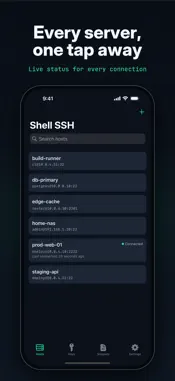
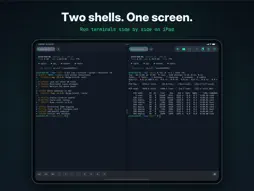
Shell SSH is a focused SSH client for iPhone, iPhone Duo, iPad and Mac. It opens a real interactive terminal to the servers you administer — not a box that runs one command at a time. COPY WHAT YOU NEED, WHERE YOU NEED IT • Select Text: copy output to your device even while tmux, vim or htop has the mouse. Drag to select, two fingers to scroll, then Copy • Let a server copy to your clipboard: a yank in tmux or vim lands on your device, for the hosts you allow. Every copy is shown, and a server can never read your clipboard • Copy the whole scrollback in one go, and paste from the toolbar or with Command-V A KEYBOARD THAT WORKS LIKE A TERMINAL • With a hardware keyboard, Ctrl and Option shortcuts reach the shell — Ctrl-C, Ctrl-R, Option-B — on a Mac too • Shift+Enter starts a new line in chat-style command-line tools instead of sending • On screen, a key row adds Esc, Ctrl, Tab, arrows and common symbols — the keys iOS doesn't give you CONNECT • Save hosts with a name, address, port, username and notes • Authenticate with an SSH key or a password • Search across names, addresses, usernames and notes • Servers that only offer keyboard-interactive login, as some two-factor setups do, aren't supported yet • Open several sessions as tabs, and switch without disconnecting • On iPad and an open iPhone Duo, run two terminals side by side • Your tabs and your split come back the way you left them SESSIONS THAT SURVIVE A LOCKED SCREEN • iOS suspends apps, which drops SSH connections when your device locks • Shell SSH can run your shell inside tmux, so it keeps running on the server and picks up exactly where you left off • It asks once, per host or as a default, and closing a tab closes its tmux session too A REAL TERMINAL • xterm-256color emulation with full 256-colour support and an alternate screen, so full-screen programs behave as on a desktop • Themes: Shell, Solarized Dark and Light, Dracula, Nord, Gruvbox, One Dark and Monokai • Adjustable font size, cursor style and scrollback • Resizes correctly on rotation, in Split View and in Stage Manager SNIPPETS • Keep the commands you run often and insert or run them in a tap • Placeholders: write {{service}} once and be asked for it when you use it • Insert leaves the command at the prompt so you can read it before you send it • 100 common commands included, from systemctl and journalctl to docker and git SSH KEYS • Generate Ed25519 keys on device • Import OpenSSH keys, including passphrase-protected ones • Copy a public key out for authorized_keys • Fingerprints in the same SHA-256 form as ssh-keygen SECURITY FIRST • Server identity is verified on first connection, with a clear, blocking warning if a host key ever changes • Passwords and private keys live in the iOS Keychain. A private key leaves your device only if you export it • Optionally require Face ID or Touch ID before a saved credential is used • When a login is refused, Shell SSH tells you what the server would have accepted • Warns before pasting multiple lines, which could run several commands at once • Review and remove trusted server fingerprints whenever you want IPHONE, IPHONE DUO AND IPAD • On iPhone Duo, closed it's the iPhone app; open it for the iPad layout, with your hosts beside the terminal, split view and Focus mode. It switches as you fold and unfold • On iPad, your hosts sit alongside the terminal, and Focus mode gives one session the whole screen (Command-Shift-F with a keyboard) • Light and dark appearance, following the system or set explicitly Shell SSH keeps its key row deliberately small. For a fuller terminal keyboard in every app, Shell Keyboard is a separate companion app.
What's New
Version 1.3.0 2026-11-07
• Select Text: copy from the terminal to your device even while tmux, vim or htop has the mouse. Tap Select Text, drag to select, two fingers to scroll, then Co...• Select Text: copy from the terminal to your device even while tmux, vim or htop has the mouse. Tap Select Text, drag to select, two fingers to scroll, then Copy. • Copy from your server: turn on Allow Copy to Clipboard for a host, and copying in tmux or vim lands on your device's clipboard. Shell SSH shows each copy as it happens, and a host can never read your clipboard. • On a Mac, Ctrl and Option shortcuts now reach the shell: Ctrl-C, Ctrl-A, Option-B, Option-Backspace and the rest. • Shift+Enter starts a new line in chat-style command-line tools instead of sending. You can turn this off in Settings → Terminal. • iPhone Duo: Shell SSH supports Apple's foldable. Closed, it's the iPhone app you know. Open it, and you get the iPad layout: your hosts beside the terminal, two shells side by side, and Focus mode. It switches as you fold and unfold, and your open sessions carry over. • Split view on the Duo's inner display works upright too: two terminals stacked, each the full width. Technical Analysis
Package Overview Basic metadata
Bundle ID
com.techartvn.shellssh Current Version 1.3.0
Minimum iOS 17.0
Package Size App Store Size
Package Metadata 0 / 0 version records
Detailed binary, privacy manifest, framework, and Info.plist results have not been indexed for this package yet. The verified App Store and archive metadata above remains available.
Developer Information
Known Version Records
0 version records with stored package metadata
Stored metadata does not guarantee a package is currently available to download.
| Details | Version / IDs | Version date | Action |
|---|