
Preview

Description
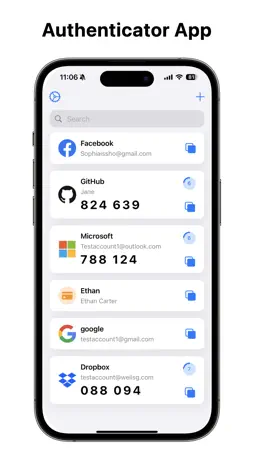
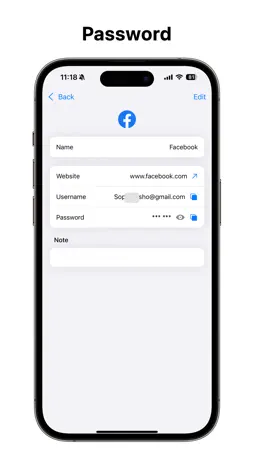
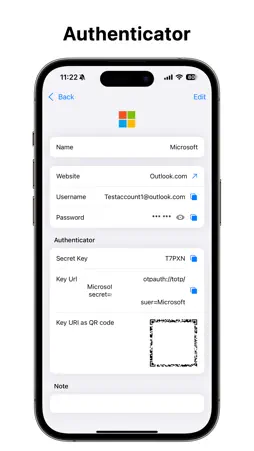
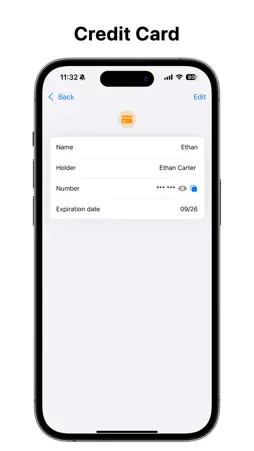
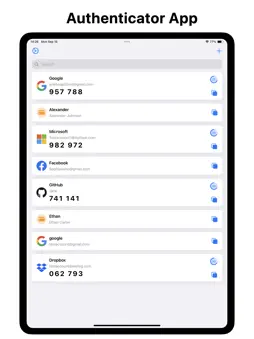
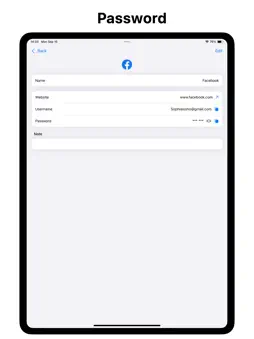
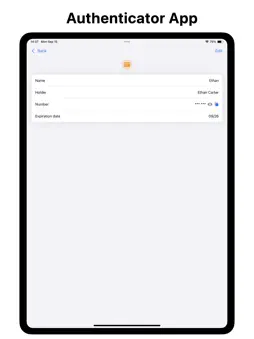
Authenticator is a two-factor authentication (2FA) tool designed specifically for macOS. It also serves as your personal security vault for centrally managing accounts, passwords, and credit card information. Beyond safeguarding your online accounts, Authenticator helps you effortlessly organize and access sensitive data. Whether you’re logging into websites, filling in payment details, or verifying critical work or personal accounts, Authenticator offers an efficient, convenient, and highly secure experience—so you can stay focused and worry-free. Features: • Multiple Ways to Add 2FA Accounts Add verification accounts flexibly: scan QR codes directly from your desktop screen, use the camera to scan physical codes, manually enter secret keys, or import QR code image files. Whether you’re using Google, Dropbox, GitHub, or other major platforms, setup is quick and versatile—covering a wide range of authentication needs. • One-Tap Microsoft Account Integration Specially optimized for Microsoft users: after signing in, the app automatically detects embedded 2FA QR codes on web pages—no need to take screenshots or copy keys manually. Add accounts with a single tap, ideal for work environments or managing team accounts efficiently. • Centralized Account & Password Management In addition to 2FA support, you can store usernames and passwords for your frequently used websites and apps. All data is protected with local encryption, ensuring both security and convenience. Quickly view, search, and copy credentials—without juggling between tools or relying on memory. • Encrypted Credit Card Storage Securely store your bank and credit card details, including card numbers, cardholder names, and expiration dates. Autofill payment details swiftly when shopping, subscribing to services, or completing online purchases. • PIN to Prioritize Frequently Used Items Pin your most-used authenticators or credit cards to the top of the home screen for instant access. No matter how many entries you have, critical information stays visible and easy to reach, streamlining daily use. • Local Encryption for Maximum Privacy All data is stored exclusively on your local device, protected using system-level encryption. Future versions may support syncing across devices via iCloud, but all synchronized content will remain end-to-end encrypted—ensuring that no one, not even us, can access your data. • Elegant and Native macOS Interface Authenticator is built with native macOS design principles in mind. The clean, intuitive UI supports dark mode, delivering a seamless, immersive desktop experience that makes managing complex information feel simple and natural. SUBSCRIPTION Payment will be charged to iTunes Account at confirmation of purchase. Subscription automatically renews unless auto-renew is turned off at least 24-hours before the end of the current period Account will be charged for renewal within 24-hours prior to the end of the current period. The cost depends on the selected plan. Subscriptions may be managed by the user and auto-renewal may be turned off by going to the user's Account Settings after purchase. Any unused portion of the free trial will be forfeited when the user purchases a subscription. Terms of Use:https://netgensoft.net/terms-of-use.html Privacy Policy: https://netgensoft.net/privacy-policy.html Disclaimer: Logos and brand names such as Microsoft and Google used in this app are for identification purposes only. All trademarks and images belong to their respective owners. Authenticator is not affiliated with, endorsed by, or officially connected to any of the mentioned brands.
What's New
Version 1.6.3 2026-06-08
• Fixed various bugs and improved stability Technical Analysis
Package Overview Basic metadata
Bundle ID
com.netgensoft.authapp Current Version 1.6.3
Minimum iOS 16.0
Package Size App Store Size
Package Metadata 2 / 4 version records
Detailed binary, privacy-manifest, framework, and Info.plist results have not been indexed for this package yet. The verified App Store and archive metadata above remains available.
Known Version Records
2 version records with stored package metadata • 4 known version records
Stored metadata does not guarantee a package is currently available to download.
| Details | Version / IDs | Version date | Action |
|---|---|---|---|
 15.1 MB | v1.6.3 App Store ID: 885901072Build: 1.6.3 | 2026-06-08 17:19:57 | Get Version |
| 7.68 MB | v1.6.2 App Store ID: 882063755Build: 33 | 2026-02-02 03:40:40 | Get Version |
| Not archived | App Store ID: 881918767 | Unknown | Request Version |
| Not archived | App Store ID: 881769174 | Unknown | Request Version |