Preview







Description
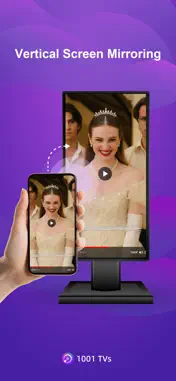
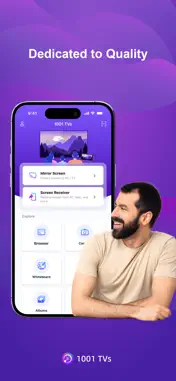
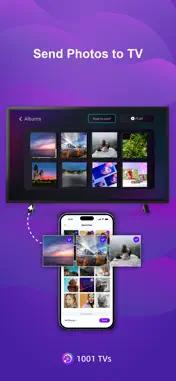
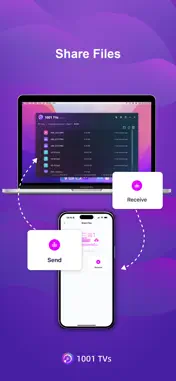
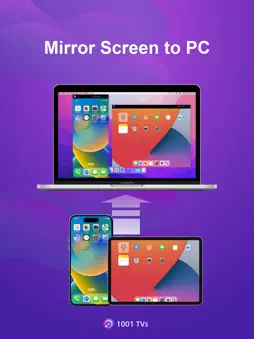
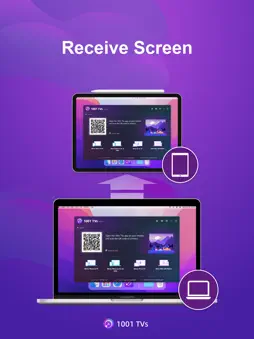
1001 TVs is a professional screen mirroring app that mirrors to Windows PC, Mac, Android TV and Apple TV. You can also receive screen mirroring from other phones, tablets, Windows PCs and Macs. It's a high-performance wireless display tool for iOS devices — better than the built-in casting features such as AirPlay or Miracast. * Trusted by over 3 million iOS device installs worldwide. * New Features: TV Digital Signage Set it up once on your phone, and photos and videos are automatically downloaded to multiple TVs via OneDrive. No need to send files to each TV individually. Perfect for stores, restaurants, offices, and event displays. * Key Features You'll Love: 1. Smooth & Clear Display (Original Quality) High frame rate, high definition, flicker-free playback, and easy on the eyes. Subtitles stay crystal clear with flexible configuration options. Perfect for watching videos with embedded captions and comments. 2. Perfect for TikTok, YouTube and Short Videos Auto-rotation follows your phone's orientation to maintain the correct aspect ratio. Enjoy short videos on the big screen, or manually set screen angles on your PC, Mac, or TV. 3. Ultra-Low Latency Performance Real-time, low-latency mirroring keeps audio and video perfectly in sync with zero lag — ideal for gaming, live streaming, sports (football, F1), and presentations. 4. Multi-Phone Mirroring Mirror multiple phones, or tablets to a single PC or Mac simultaneously — ideal for presentations, team meetings, and classroom sessions. 5. Smart Display Modes Choose from 3 display modes (Fit, Fill, Scale) to automatically adapt to your TV screen and eliminate unwanted black bars. 6. 100% Private & Secure All screen mirroring data stays within your local network, never uploaded to the internet, ensuring 100% privacy protection. 7. Easy to Use No complicated setup — just one tap to connect. Press OK to pause or resume anytime with your TV remote. * More Features 1. File Transfer & Management – Quickly and securely send files between your phone, tablet, PC, and Mac — and even from phone to TV. No cables needed. APK files can also be sent to and installed on your TV. 2. Streaming – Stream videos, music, and photos from your phone to Smart TVs. 3. Camera Live Mirroring (with Flip Option) – Real-time camera mirroring for easier big-screen selfies and video calls. 4. Whiteboard – Writing or Drawing on your iPhone and mirror to PC, Mac, or TV in real time for seamless presentations and collaboration. 5. TV Remote Controller – Use your phone to auto-detect Smart TVs on the same Wi-Fi network. Control volume, home, the direction pad, select/confirm, and more. 6. TV Albums – Upload photos and videos to your TV for playback anytime — individually or as a slideshow. * How to Use 1. Install the 1001 TVs screen mirroring app on your phone and on the receiving device (PC, Mac, TV, phone, or tablet). 2. Make sure both devices are connected to the same Wi-Fi network. 3. Open the app, select your device, or scan the QR code to start. * The following features are available as a free trial; a paid membership is required on the sender side after the trial ends. 1. Screen mirroring between phone, PC, Mac, and TV. 2. File transfer between phone, PC, Mac, and TV. Email: [email protected] Website: https://www.1001tvs.com Terms: https://www.1001tvs.com/license/en/terms.html Privacy: https://www.1001tvs.com/license/en/privacy.html [Subscription Plan] -Service Title: Auto-renew Weekly, Auto-renew Monthly, Auto-renew Yearly and Lifetime; -Your payment will be charged to your store account once you confirm the purchase; -Your subscription will automatically renew unless canceled at least 24 hours before the end of the current period; -You can always cancel the subscription through your store account;
What's New
Version 3.0.36 2026-11-26
- Easily switch between various functions on the "New Device Home" screen. - Use the in-app remote control feature to enter text on your TV. - Digital signage ...- Easily switch between various functions on the "New Device Home" screen. - Use the in-app remote control feature to enter text on your TV. - Digital signage can now automatically transfer files via OneDrive. Technical Analysis
Package Overview Basic metadata
Bundle ID
com.nero.1001tvs Current Version 3.0.36
Minimum iOS 15.0
Package Size App Store Size
Package Metadata 4 / 161 version records
Detailed binary, privacy manifest, framework, and Info.plist results have not been indexed for this package yet. The verified App Store and archive metadata above remains available.
Developer Information
Known Version Records
4 version records with stored package metadata • 161 known version records
Stored metadata does not guarantee a package is currently available to download.
| Details | Version / IDs | Version date | Action |
|---|---|---|---|
 Not archived | App Store ID: 895114373 | Unknown | Request Version |
| Not archived | App Store ID: 894536109 | Unknown | Request Version |
| Not archived | App Store ID: 894040000 | Unknown | Request Version |
| Not archived | App Store ID: 890810890 | Unknown | Request Version |
| Not archived | App Store ID: 890626801 | Unknown | Request Version |
| Not archived | App Store ID: 888605041 | Unknown | Request Version |
| 105.82 MB | v3.0.30 App Store ID: 887322428Build: 3.0.30 | 2026-07-21 22:13:59 | Get Version |
| Not archived | App Store ID: 886417036 | Unknown | Request Version |
| 84.96 MB | v3.0.27 App Store ID: 884880186Build: 6 | 2026-05-20 05:08:56 | Get Version |
 75.56 MB | v3.0.26 App Store ID: 882931524Build: 8 | 2026-04-01 06:32:08 | Get Version |
 71.48 MB | v3.0.25 App Store ID: 881842699Build: 4 | 2026-02-03 05:03:02 | Get Version |
| Not archived | App Store ID: 880928654 | Unknown | Request Version |
| Not archived | App Store ID: 880647326 | Unknown | Request Version |
| Not archived | App Store ID: 879258901 | Unknown | Request Version |
| Not archived | App Store ID: 879194553 | Unknown | Request Version |
| Not archived | App Store ID: 878352649 | Unknown | Request Version |
| Not archived | App Store ID: 878322221 | Unknown | Request Version |
| Not archived | App Store ID: 877764534 | Unknown | Request Version |
| Not archived | App Store ID: 877677185 | Unknown | Request Version |
| Not archived | App Store ID: 877317576 | Unknown | Request Version |
| Not archived | App Store ID: 876633272 | Unknown | Request Version |
| Not archived | App Store ID: 876025358 | Unknown | Request Version |
| Not archived | App Store ID: 875838169 | Unknown | Request Version |
| Not archived | App Store ID: 875682797 | Unknown | Request Version |
| Not archived | App Store ID: 874984751 | Unknown | Request Version |
| Not archived | App Store ID: 874573458 | Unknown | Request Version |
| Not archived | App Store ID: 874155185 | Unknown | Request Version |
| Not archived | App Store ID: 874095084 | Unknown | Request Version |
| Not archived | App Store ID: 873284656 | Unknown | Request Version |
| Not archived | App Store ID: 872927222 | Unknown | Request Version |
| Not archived | App Store ID: 871935478 | Unknown | Request Version |
| Not archived | App Store ID: 871506164 | Unknown | Request Version |
| Not archived | App Store ID: 871349789 | Unknown | Request Version |
| Not archived | App Store ID: 871226022 | Unknown | Request Version |
| Not archived | App Store ID: 871083670 | Unknown | Request Version |
| Not archived | App Store ID: 870439516 | Unknown | Request Version |
| Not archived | App Store ID: 870351400 | Unknown | Request Version |
| Not archived | App Store ID: 870010200 | Unknown | Request Version |
| Not archived | App Store ID: 869690899 | Unknown | Request Version |
| Not archived | App Store ID: 868771633 | Unknown | Request Version |