Preview




Description
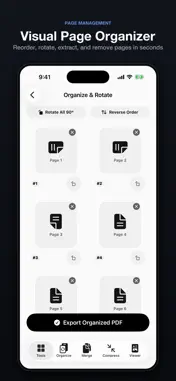
PDF Compressor Merge Split — the #1 all-in-one PDF toolkit for iPhone & iPad. Compress files, merge documents, split PDFs, convert to images, add watermarks, and get AI insights — processed on-device for total privacy. PLEASE NOTE: PDF Compressor requires an active auto-renewable subscription (with a 3-day free trial on the annual plan) to access all tools and features. - WHY CHOOSE PDF COMPRESSOR? • All-in-One: Compress, merge, split, convert, watermark, organize. • AI Assistant: Instant summaries, key takeaways, and smart Q&A for any PDF. • 100% On-Device: Core operations run locally on iPhone with no tracking. • Fast & Native: Built on Apple frameworks for smooth, responsive editing. • Bulk Processing: Save time by processing multiple files simultaneously. • Universal: Optimized for iPhone and iPad with Dark Mode support. - FEATURES INCLUDED WITH SUBSCRIPTION • COMPRESS PDF — SAVE STORAGE & SHARE FASTER Reduce PDF file sizes by up to 86% with sharp quality: - Standard Compression: Balance of quality and shrinkage for email and chat. - High Compression: Maximum shrinkage for large documents and scans. - Batch Compress: Optimize multiple PDF files in one tap. - Reduction Preview: See estimated savings before exporting. • MERGE PDF — COMBINE DOCUMENTS Stitch PDF files, receipts, invoices, or reports into a single file: - Drag-and-drop thumbnail reordering. - Merge unlimited PDF files without page count restrictions. - Insert additional pages into existing documents with ease. • SPLIT PDF — EXTRACT & SEPARATE PAGES Divide large PDF books and contracts into targeted sections: - Custom Page Ranges: Extract specific intervals (e.g. pages 5-12). - Single-Page Separation: Split an entire PDF into single-page files. - Batch Split: Process multiple files in rapid sequence. - Delete unwanted or blank pages effortlessly. • AI DOCUMENT ASSISTANT — SMART Q&A & SUMMARIES Harness AI to analyze and extract information from documents: - Executive Summaries: Grasp main points and findings in seconds. - Interactive Q&A: Ask questions about your document and get precise answers. - Data Extraction: Pull tables, dates, monetary amounts, and clause details. *AI queries use secure encrypted cloud processing; deleted after session. • PDF TO IMAGE CONVERTER Convert PDF pages into high-resolution JPG images: - Quality Options: Standard (150 DPI) for sharing or Print-Ready (300 DPI). - Bulk Conversion: Export all pages to Photos or Files app instantly. • WATERMARK & PAGE NUMBERS Brand and safeguard your sensitive PDFs: - Text Watermarks: Add custom text like "CONFIDENTIAL" or company name. - Dynamic Page Numbering: Apply header/footer counts across all pages. - Date Stamps: Stamp creation and verification dates automatically. • VISUAL PAGE ORGANIZER & REORDER - Drag-and-drop page sorting and reorganization. - Rotate misoriented pages individually or in bulk. • NATIVE FAST PDF VIEWER - Fluid scrolling, pinch-to-zoom, and full-text search. - PRIVACY & SECURITY FIRST • Local Execution: Core operations run locally on your device. • Zero Tracking: We never track your reading habits or content. • AES-256 Encryption: Create password-protected PDF files securely. - SUBSCRIPTION PRICING & TERMS PDF Compressor requires an active subscription for full access: • Annual Pro Pass: $49.99/year (Includes 3-Day Free Trial) • Weekly Pass: $6.99/week - Payment charged to Apple ID at purchase confirmation or trial end. - Subscription auto-renews unless cancelled 24h before period ends. - Account charged for renewal within 24h prior to period end. - Manage and cancel subscriptions in Apple ID Settings. - Unused portion of a free trial is forfeited upon purchase. Terms of Use: https://www.apple.com/legal/internet-services/itunes/dev/stdeula/ Privacy Policy: https://neocortexai.in/pdf-compressor-merge-split/privacy-policy Support: [email protected]
Technical Analysis
Package Overview Basic metadata
Bundle ID
com.pdfplatform.pdftoolkit Current Version 1.0
Minimum iOS 18.0
Package Size App Store Size
Package Metadata 0 / 0 version records
Detailed binary, privacy manifest, framework, and Info.plist results have not been indexed for this package yet. The verified App Store and archive metadata above remains available.
Developer Information
Known Version Records
0 version records with stored package metadata
Stored metadata does not guarantee a package is currently available to download.
| Details | Version / IDs | Version date | Action |
|---|