Preview








Description
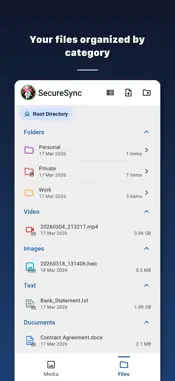
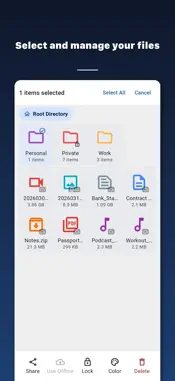
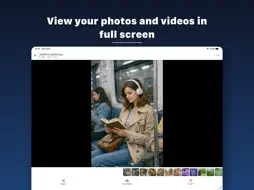
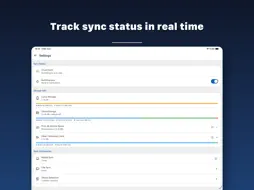
Back up your photos, videos and files to your own computer over Wi-Fi and keep them in sync across your devices. Secure Cloud Home is a private cloud that lives in your home, not on someone else's servers. All you need is a computer on the same Wi-Fi running the free Secure Cloud Home desktop app for Mac, Windows or Linux. No cloud subscription, no storage plan, no file size limit. ▸ AUTOMATIC PHOTO BACKUP New photos and videos are backed up to your PC automatically whenever your phone is on your home Wi-Fi. Choose which albums to back up, then free up phone storage by removing the copies that are already safe on your computer. Your photo backup stays browsable in a fast gallery with a full-screen viewer and a built-in video player. ▸ WIFI FILE TRANSFER AND SYNC Transfer files between phone and computer without cables, USB or email. Folders sync both ways, so a document saved on your laptop appears on your phone. Upload, download, create folders, colour-code them and open files in any other app. Large videos and archives transfer at full Wi-Fi speed. ▸ PRIVATE BY DESIGN Your files travel only inside your local Wi-Fi network and are stored encrypted with AES-256-GCM on your own computer. No third-party cloud ever sees them. Lock sensitive folders with a 4-digit PIN, and the app only connects to a computer it already trusts. ▸ NO SETUP Phones and computers on the same network find each other automatically. No IP addresses, no port forwarding, no NAS to configure. Install the desktop app, sign in on both devices and your personal cloud is ready in a minute. ▸ YOUR CLOUD, YOUR RULES Keep files on the computer only, or on both computer and phone. Light and dark themes, accent colours and 11 languages. ▸ GOOD TO KNOW Secure Cloud Home is free and shows ads; you can watch a short video for ad-free time. Signing in with the same account on your phone and computer pairs them securely. Backup, file transfer and sync work while both devices are on the same Wi-Fi network.
What's New
Version 1.0.4 2026-10-06
Performance improvements and bug fixes. Technical Analysis
Package Overview Basic metadata
Bundle ID
com.inceptionapps.localcloud.ios Current Version 1.0.4
Minimum iOS 16.0
Package Size App Store Size
Package Metadata 0 / 3 version records
Detailed binary, privacy manifest, framework, and Info.plist results have not been indexed for this package yet. The verified App Store and archive metadata above remains available.
Known Version Records
0 version records with stored package metadata • 3 known version records
Stored metadata does not guarantee a package is currently available to download.
| Details | Version / IDs | Version date | Action |
|---|---|---|---|
| Not archived | App Store ID: 884754152 | Unknown | Request Version |
| Not archived | App Store ID: 884343373 | Unknown | Request Version |
| Not archived | App Store ID: 883253662 | Unknown | Request Version |