
Preview
Description
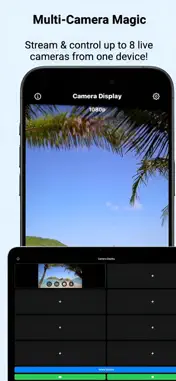
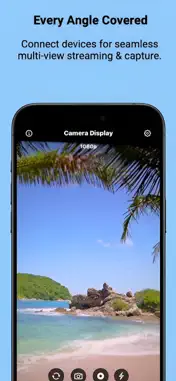
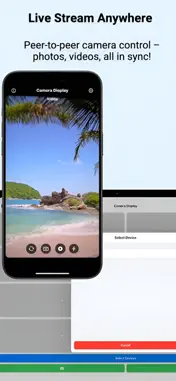
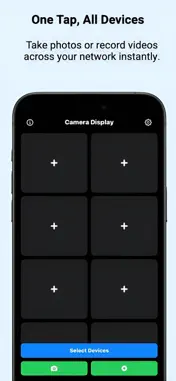
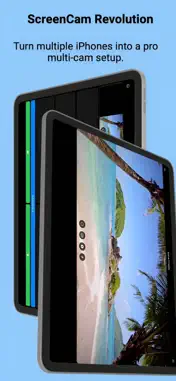
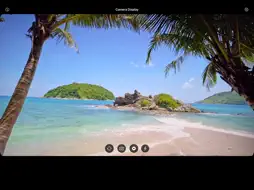
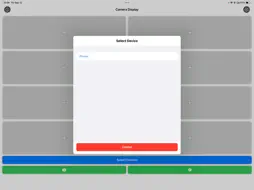
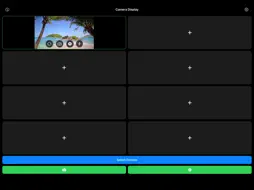
See the shot before you take it. Camera Display turns your iPhone or iPad into a live camera monitor and remote control for nearby devices. Place a camera where you need it, check the framing on another screen, and capture the moment without walking back to the device. Use it for solo videos, tutorials, product shots, group photos, and multi-angle creative projects. LIVE CAMERA PREVIEW View connected cameras in a grid or open an individual feed full screen. Keep an eye on different angles from one place. REMOTE CAMERA CONTROLS Switch between front and rear cameras, adjust zoom and focus, choose video quality, and control the flash or torch on supported devices. ONE TAP, MULTIPLE CAMERAS Use the main photo and recording buttons to send capture commands to all connected devices. Use the controls in an individual camera view to control just that device. Timing depends on the connection and each device. SAVE ON THE CAPTURING DEVICE Photos and videos are saved on the device that captures them, with permission to access Photos. Video can include audio when microphone access is allowed. FREE TO START Connect to one other device with the free, ad-supported plan. The optional one-time Pro purchase removes ads and unlocks connections to multiple devices. No subscription. MADE FOR IPHONE AND IPAD Choose a light, dark, or system appearance. The app interface supports English, Spanish, German, Russian, and Ukrainian. GET CONNECTED Install Camera Display and keep it open on each device. Keep the devices nearby, enable Wi-Fi and Bluetooth, and allow Local Network access when prompted. Camera controls and available quality depend on the device hardware. Camera Display is designed for nearby-device use, not remote monitoring over the internet. Support: https://www.myhvn.space/camera-display-support/ Privacy: https://www.myhvn.space/camera-display-support/privacy.html
What's New
Version 1.3.4 2026-10-19
The version number in Settings now matches the installed app version. Updated App Store information with clearer descriptions of remote camera controls, multi-d...The version number in Settings now matches the installed app version. Updated App Store information with clearer descriptions of remote camera controls, multi-device capture, and the optional Pro upgrade. Technical Analysis
Package Overview Basic metadata
Bundle ID
com.myhvn.CameraDisplay Current Version 1.3.4
Minimum iOS 17.6
Package Size App Store Size
Package Metadata 0 / 6 version records
Detailed binary, privacy manifest, framework, and Info.plist results have not been indexed for this package yet. The verified App Store and archive metadata above remains available.
Developer Information
Known Version Records
0 version records with stored package metadata • 6 known version records
Stored metadata does not guarantee a package is currently available to download.
| Details | Version / IDs | Version date | Action |
|---|---|---|---|
| Not archived | App Store ID: 888190873 | Unknown | Request Version |
| Not archived | App Store ID: 884176253 | Unknown | Request Version |
| Not archived | App Store ID: 883768719 | Unknown | Request Version |
| Not archived | App Store ID: 878903555 | Unknown | Request Version |
| Not archived | App Store ID: 878510680 | Unknown | Request Version |
| Not archived | App Store ID: 877355699 | Unknown | Request Version |