
Preview








Description
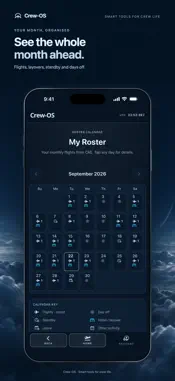
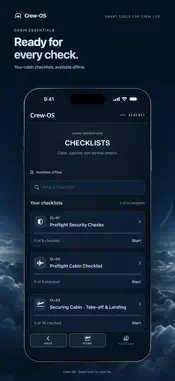
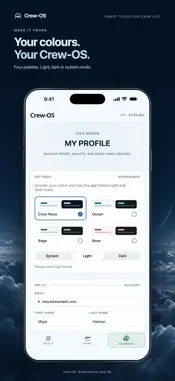
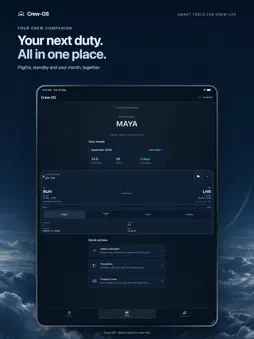
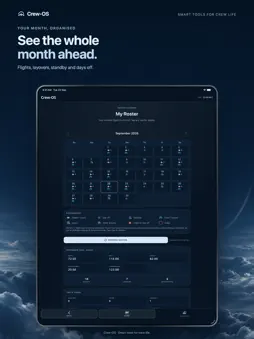
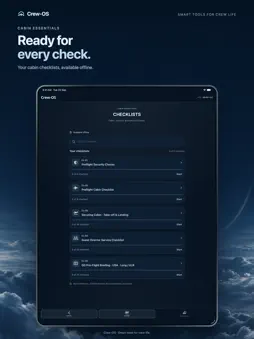
Smart tools for crew life. Crew-OS brings your roster, next duty, salary estimates and everyday cabin tools together in one place. Prepare for your next flight, keep your month organised and stay connected with your crew. YOUR ROSTER AND NEXT DUTY Link your supported CAE account to view your monthly roster, flights, standby duties, days off and layovers. Select a roster flight or standby to keep the duty you need close at hand. Check flight schedules, routes and aircraft details from your Home screen. LOCK SCREEN AND ALARMS Follow your selected duty with Lock Screen Live Activities and widgets. Set a wake-up alarm before your report time and choose whether to enable additional reminders. Availability depends on your device, permissions and enabled features. SALARY, MONTH BY MONTH Estimate pay using your basic salary, allowances, flying hours and deductions. Save your salary profile and review your salary history. Your saved salary information can sync with your Crew-OS account across supported apps and the website. Calculations are estimates, not an official payslip. CURRENCY AND DESTINATIONS Convert currencies with indicative exchange rates and optionally follow your selected flight’s destination currency. Explore your monthly roster destinations on a world map, with country, airport and flight details. YOUR CABIN TOOLKIT Keep checklists, cabin announcements, crew-rest references, aircraft configurations, service bands, cart setups, quiz questions and layover hotel information together. Downloaded reference content remains available offline; sign-in, syncing, searches and messaging need an internet connection. CONNECT WITH YOUR CREW Add friends, share rosters and discuss trade offers. Flight conversations use roster verification to check crew access. Reporting and blocking tools are available for community features. Flight trades remain subject to your airline's approval and procedures. MAKE IT YOURS Choose Crew Navy, Ocean, Sage or Rose, with light, dark or system appearance. Matching widgets keep your preferred colours with you throughout the day. Some tools require an account, a linked CAE account or an optional Crew-OS Pro subscription. Availability can vary by account and supported airline. Subscription details and current pricing are shown in the app before purchase. Crew-OS is an independent companion, developed and operated by HEXLuma. It is not affiliated with, endorsed by or operated by any airline or CAE. Always follow your airline's current manuals, procedures and scheduling instructions. Terms of Use (EULA): https://www.apple.com/legal/internet-services/itunes/dev/stdeula/ Privacy Policy: https://crew-os.org/privacy
What's New
Version 2.1.3 2026-11-12
• Convert currencies manually or automatically use your selected flight’s destination currency. • Explore a world map highlighting your monthly roster destinati...• Convert currencies manually or automatically use your selected flight’s destination currency. • Explore a world map highlighting your monthly roster destinations, with country, airport and flight details. • Fixed missing day-off flying hours in salary estimates when CAE marks a flight for day-off compensation. Refresh your roster and re-import its hours after updating to retrieve compensation details. Technical Analysis
Package Overview Basic metadata
Bundle ID
org.crewos.app Current Version 2.1.3
Minimum iOS 16.0
Package Size App Store Size
Package Metadata 0 / 1 version records
Detailed binary, privacy manifest, framework, and Info.plist results have not been indexed for this package yet. The verified App Store and archive metadata above remains available.
Developer Information
Known Version Records
0 version records with stored package metadata • 1 known version records
Stored metadata does not guarantee a package is currently available to download.
| Details | Version / IDs | Version date | Action |
|---|---|---|---|
| Not archived | App Store ID: 886053039 | Unknown | Request Version |