Preview



Description
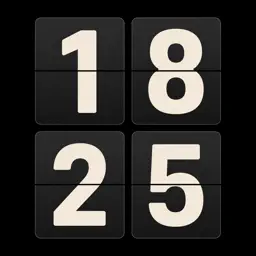
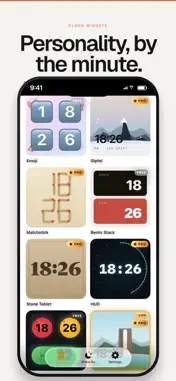
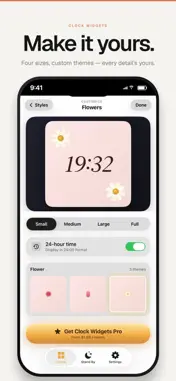
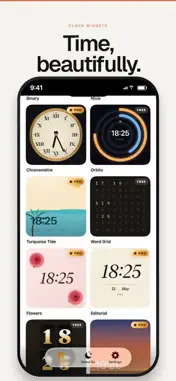
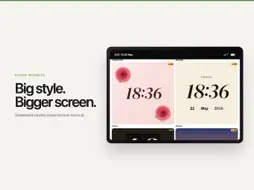
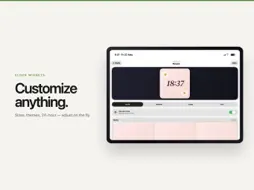
Your Home Screen already tells the time. It could do it with style. Clock Widgets is a gallery of 34 clock faces: a flip board that snaps over on the minute, a green phosphor terminal, time spelled out in a grid of words, an odometer that rolls the digits, dots and dashes for anyone who reads Morse. Pick one, tap once, and your widget is wearing it. Eleven faces are free. The other 23 — nixie tubes, a Swiss railway dial, split-flap boards, crystals, matchsticks, a sci-fi HUD — open with Clock Widgets Pro, a paid subscription that also includes every face added later. Everything else is free and stays that way: all widget sizes, small through large and extra large on iPad; Stand By, the fullscreen bedside clock that holds the screen awake while the phone charges on its side; 12 or 24-hour time, date on or off, any city's time zone. QUIET BY DESIGN No account. No sign-in. No analytics, no tracking, no third-party code. The app makes no network requests at all — which is why every clock keeps perfect time in airplane mode. For the desk that deserves better than the default. For the nightstand at three in the morning. For anyone who has rearranged their Home Screen twice in one evening. Clock Widgets Pro renews monthly or yearly until you cancel; the price for your country appears in the app before anything is charged. Terms of Use (Apple Standard EULA): https://www.apple.com/legal/internet-services/itunes/dev/stdeula/ Terms of Use (Apple Standard EULA): https://www.apple.com/legal/internet-services/itunes/dev/stdeula/
What's New
Version 1.4 2026-09-05
Nine languages fully translated, prices in your own currency, and Pro that no longer drops out when you are offline. Technical Analysis
Package Overview Basic metadata
Bundle ID
com.enidev.tempora Current Version 1.4
Minimum iOS 26.0
Package Size App Store Size
Package Metadata 0 / 4 version records
Detailed binary, privacy manifest, framework, and Info.plist results have not been indexed for this package yet. The verified App Store and archive metadata above remains available.
Developer Information
Known Version Records
0 version records with stored package metadata • 4 known version records
Stored metadata does not guarantee a package is currently available to download.
| Details | Version / IDs | Version date | Action |
|---|---|---|---|
| Not archived | App Store ID: 888647842 | Unknown | Request Version |
| Not archived | App Store ID: 888364094 | Unknown | Request Version |
| Not archived | App Store ID: 886289663 | Unknown | Request Version |
| Not archived | App Store ID: 886022867 | Unknown | Request Version |