Preview





Description
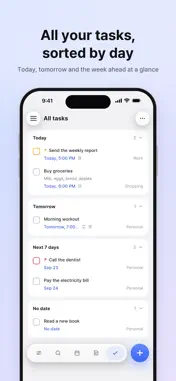
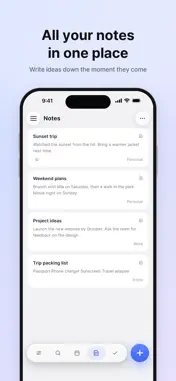
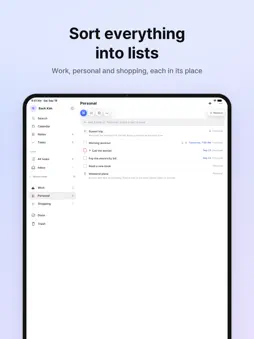
CC Do is a simple app for your notes, calendar and to-dos. Tasks, notes and calendar — the three things you use every day. No clutter. No ads. SEE IT ALL AT A GLANCE Today's tasks and this month's plans, on one screen. Tasks and notes sit right on the calendar, so you never hop between apps. Dates, reminders, repeats and attachments all show on the card itself. TASKS Write it down and forget it. Due dates, times and reminders. Repeat daily, weekly, monthly or on the days you pick. Subtasks, priorities and pinning for what matters most. Group your tasks into categories and folders. Hide routine tasks from your lists — they still remind you on time. NOTES Rich text with headings, lists, checkboxes and colors. Attach photos and files. Give a note a date and a reminder, just like a task. CALENDAR Month, compact and week views. Swipe to move between them. Press and hold a day to write an event right there. Drag for several days. Attach photos and files to an event — a ticket, a receipt, a letter, kept on its date. Reads your iPhone calendar too, so everything is in one view. WORKS OFFLINE Everything opens and saves instantly, with or without internet. Your changes sync the moment you are back online. ON ALL YOUR DEVICES Sign in once and your tasks, notes and events follow you — on iPhone, iPad and Android. Change phones, or use a phone and a tablet together — it stays the same. Edit on one and it shows up on the other in seconds. ALSO INSIDE Dark mode. 12 languages. Adjustable text size. App icon colors you can choose. Search tasks, notes and events all at once. A trash you can restore from. FREE TO USE Tasks, notes, calendar, reminders, repeats, search and syncing across your devices are all free. Attaching photos and files, and making plenty of categories and calendars, are part of PRO. CC DO PRO PRO is an auto-renewing subscription, monthly or yearly, with a free trial for new subscribers. Payment is charged to your Apple Account when you confirm. It renews automatically unless you turn it off at least 24 hours before the end of the current period. You can manage or cancel it in your Apple Account settings. PRIVACY Your data is yours. We do not sell it, we do not show ads, and we do not track what you do. Terms of Use: https://www.apple.com/legal/internet-services/itunes/dev/stdeula/ Privacy Policy: https://plume-heron-43e.notion.site/Privacy-Policy-3d997d4c272e803ba578fe65b8bd6f7c
What's New
Version 1.0.4 2026-09-28
We optimized the app. Technical Analysis
Package Overview Basic metadata
Bundle ID
com.ccmmjj.ccnote Current Version 1.0.4
Minimum iOS 15.0
Package Size App Store Size
Package Metadata 0 / 0 version records
Detailed binary, privacy manifest, framework, and Info.plist results have not been indexed for this package yet. The verified App Store and archive metadata above remains available.
Known Version Records
0 version records with stored package metadata
Stored metadata does not guarantee a package is currently available to download.
| Details | Version / IDs | Version date | Action |
|---|