
Preview


Description
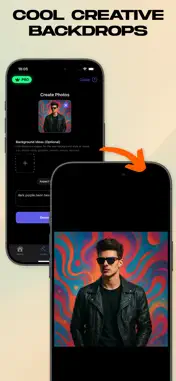
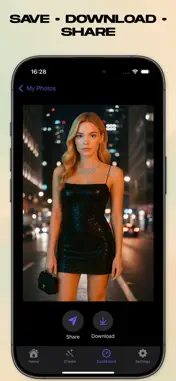
Create transparent PNGs or swap in new backgrounds in seconds. Get smart AI cutouts, delete unwanted objects, and drop your subject onto studio, office, color, or custom scenes—perfect for product photos, portraits, listings, and social posts. What you can do * Remove or replace backgrounds (studio, office, blur, solid colors, gradients, or your own image) * Transparent PNG export for shops, resumes, and profiles * Object delete/cleanup to remove distractions * Shadow & lighting match so subjects feel natural in new scenes * Edge & hair handling to avoid halos and jagged lines * High-resolution output and a fast, batch-friendly flow How it works 1. Import your photo. 2. Auto cutout isolates the subject instantly. 3. Refine with erase/restore, edge tools, and object delete. 4. Replace background with presets (studio/office/blur/color/gradient) or add your own image. 5. Export as transparent PNG or save the composite. Built for creators & teams * Sellers & marketers: consistent product photos for marketplaces * Designers & editors: quick composites for ads and mockups * Social & profiles: polished visuals without a studio Why it’s better * Accurate segmentation: handles hair and fine edges * Natural composites: shadow/lighting adjustment for realism * Speed & control: quick previews, simple tools, clean results Tips for best results * Use even lighting and keep the subject fully in frame. * For products, shoot against simple backgrounds. * Match background tone to the subject for realistic results. Privacy
No face data is retained on our servers.
Face data is not shared with third parties except for processing via the AI API, which does not store face data permanently. Terms of Use - https://www.apple.com/legal/internet-services/itunes/dev/stdeula/ Privacy Policy - https://sites.google.com/view/backgrounddio/privacy-policy
What's New
Version 6.5.1 2025-11-29
Fixed some bugs. Technical Analysis
Package Overview Basic metadata
Bundle ID
MustafaUtkuCoskun.Background-Eraser-AI-Dio Current Version 6.5.1
Minimum iOS 16.6
Package Size App Store Size
Package Metadata 1 / 2 version records
Detailed binary, privacy manifest, framework, and Info.plist results have not been indexed for this package yet. The verified App Store and archive metadata above remains available.
Developer Information
Known Version Records
1 version record with stored package metadata • 2 known version records
Stored metadata does not guarantee a package is currently available to download.
| Details | Version / IDs | Version date | Action |
|---|---|---|---|
| 83.96 MB | v6.5.1 App Store ID: 880179291Build: 6.5.1 | 2025-11-29 21:02:54 | Get Version |
| Not archived | App Store ID: 879849905 | Unknown | Request Version |