Preview


Description
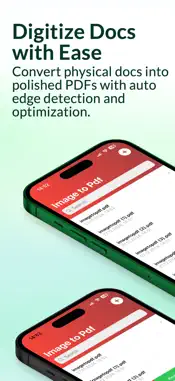
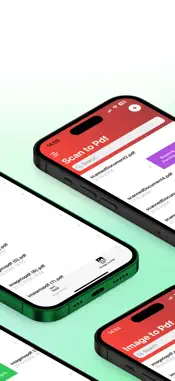
This mobile app allows users to easily digitize documents and convert them into PDF format. It offers both document scanning and quick PDF creation from photos. With advanced camera integration, users can manually scan, edit, and save their documents in the desired format. Key Features: Create PDFs from Photos: Users can take photos of their documents and save them in PDF format. The app automatically optimizes the photo, resulting in a high-quality PDF file. Scan Documents to PDF: Using the camera, the app allows users to scan physical documents. The app detects edges and optimizes readability automatically, offering an easy PDF saving option. Automatic Edge Detection and Optimization: During scanning, the app automatically detects the edges of documents, ensuring a clean and accurate scan without the need for manual adjustments. Combine Multiple Pages into One PDF: Users can merge multiple photos or scans into a single PDF file, perfect for digitizing multi-page documents. High-Quality PDF Conversion: The app converts scanned or photographed documents into high-quality PDF files while preserving readability and clarity, ideal for professionals, students, and home users. Easy Sharing: Created PDFs can be quickly shared via email, cloud storage services, or other apps directly from the app. With a user-friendly interface and practical features, this app offers a reliable PDF conversion solution for everyone.
What's New
Version 1.33.4551 2024-12-29
Bug fixes Technical Analysis
Package Overview Basic metadata
Bundle ID
com.pdf.cuspart.converter Current Version 1.33.4551
Minimum iOS 15.0
Package Size App Store Size
Package Metadata 1 / 3 version records
Detailed binary, privacy manifest, framework, and Info.plist results have not been indexed for this package yet. The verified App Store and archive metadata above remains available.
Known Version Records
1 version record with stored package metadata • 3 known version records
Stored metadata does not guarantee a package is currently available to download.
| Details | Version / IDs | Version date | Action |
|---|---|---|---|
| 10.46 MB | v1.33.4551 App Store ID: 871401715Build: 1.33.4551 | 2024-12-29 11:12:58 | Get Version |
| Not archived | App Store ID: 870166012 | Unknown | Request Version |
| Not archived | App Store ID: 869786121 | Unknown | Request Version |