
Preview


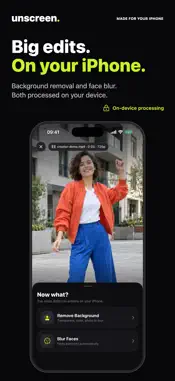
Description
Unscreen - Remove Video Backgrounds with AI Remove the background from any video or photo in just a few taps. Unscreen uses advanced on-device AI to detect subjects and separate them from the background with precision. No green screen, no manual editing, no cloud uploads required. HOW IT WORKS 1. Pick a video or photo from your library 2. Choose a tool: Remove Background or Blur Faces 3. Let the AI do the work, then fine-tune the result 4. Export and share KEY FEATURES - AI-Powered Background Removal Advanced machine learning automatically detects people, animals, and objects in your videos and photos. Works with any footage, no special equipment needed. - Works on Photos Too Everything Unscreen does for video now works on your photos: remove the background, replace it, or blur faces. - Blur Faces Automatically finds every face in your video or photo. Blur everyone at once, or choose exactly who stays visible — you can even cover a face with an emoji instead. - Flexible Background Options Go transparent, pick any solid color, drop in your own photo, or keep a softly blurred version of the original background. - Touch-Up Brush Perfect the result by hand: restore parts the AI removed or erase parts it kept — on a single frame, from a moment onward, or across a custom range. - On-Device Processing Your videos and photos never leave your device. All processing happens locally using Apple Neural Engine and GPU acceleration for maximum privacy and speed. - Export in Multiple Qualities Standard quality for quick sharing or high quality to preserve every detail. Save directly to your photo library or share to any app. - All-New Design A cleaner, faster interface built around your library. Pick, edit, export — no learning curve, no complicated settings. - Project History All your processed videos are saved automatically. Access your previous work anytime from the history screen. - Multi-Language Support Available in 38 languages including English, Spanish, French, German, Japanese, Korean, Chinese, Arabic, Turkish, and many more. PERFECT FOR - Content creators and social media influencers - Short film and video editors - Online sellers needing product videos with clean backgrounds - Educators creating professional video content - Protecting privacy — hide bystanders' faces before sharing - Anyone who wants to remove distracting backgrounds from videos and photos TIPS FOR BEST RESULTS - Use videos with a clear subject in the foreground - Steady footage produces smoother results - Fewer scene transitions improve output quality - Clips up to 5 minutes process best — trim longer videos right in the app UNSCREEN PRO Unlock the full power of Unscreen with a Pro subscription: - Unlimited processing for videos and photos - High quality exports at original resolution - Access to all background options In-App Purchases & Subscriptions Unscreen offers optional weekly and monthly subscription plans to unlock premium features. Subscriptions are processed through your App Store account and renew automatically unless canceled by the user. You can manage or cancel your subscription anytime via your App Store account settings. Terms of Use — https://mcemilg.dev/unscreen/terms.html Privacy Policy — https://mcemilg.dev/unscreen/privacy.html
What's New
Version 2.0 2026-07-10
• All-new design — cleaner, faster, built around your library • Photos: remove backgrounds from photos, not just videos • Blur Faces: automatically hide faces i... Technical Analysis
Package Overview Basic metadata
Bundle ID
dev.mcemilg.Unscreen Current Version 2.0
Minimum iOS 17.6
Package Size App Store Size
Package Metadata 1 / 3 version records
Detailed binary, privacy manifest, framework, and Info.plist results have not been indexed for this package yet. The verified App Store and archive metadata above remains available.
Developer Information
Known Version Records
1 version record with stored package metadata • 3 known version records
Stored metadata does not guarantee a package is currently available to download.
| Details | Version / IDs | Version date | Action |
|---|---|---|---|
| 24.25 MB | v2.0 App Store ID: 888025680Build: 2.0 | 2026-07-10 18:56:41 | Get Version |
| Not archived | App Store ID: 884914193 | Unknown | Request Version |
| Not archived | App Store ID: 882682396 | Unknown | Request Version |