Preview


Description
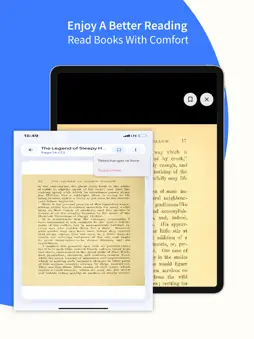
PDF Reader: Smart Book Library is a clean, focused PDF reading app designed to help you organize documents, books, and study materials in one personal library. Whether you read for school, work, or leisure, this app makes it simple to import PDFs, continue from where you left off, download files for offline access, and save important pages for later. Build Your Own Smart Book Library Stop searching through folders every time you need a file. Add PDFs from your device or paste a direct PDF link, give each book an optional title, and keep everything in a clear library view. Your collection stays organized, easy to browse, and ready whenever you want to read. Import PDFs Your Way • Upload PDF files directly from your device • Add books using a secure HTTP or HTTPS PDF link • Save each title to your personal library in seconds • Reopen any book later without hunting for the original file Read With Comfort and Focus Enjoy smooth page-by-page reading powered by a dedicated PDF viewer. Track your place automatically and return to the exact page you left. Need fewer distractions? Switch to fullscreen mode and keep your attention on the content. • Fast and clear page viewing • Continue reading from your last page • Fullscreen mode for distraction-free reading • Simple page progress so you always know where you are Download Once, Read Anywhere Traveling, studying offline, or dealing with unstable internet? Download books to your device and keep reading without a connection. Local files stay available in your library until you decide to remove them. • Download PDFs for offline reading • Open downloaded books instantly from your library • Continue progress whether you are online or offline • Delete books permanently when you no longer need them Save Pages That Matter Found a key chart, quote, formula, or reference page? Save it with a page preview and reopen it later from your Saved section. Ideal for study notes, research highlights, meeting documents, and long reports. • Bookmark important pages with image previews • Browse all saved pages in one place • Jump back to a saved page whenever you need it • Remove saved pages easily when they are no longer useful Designed for Everyday Reading PDF Reader: Smart Book Library focuses on the essentials: a personal library, reliable reading, offline access, and page bookmarks. The interface is modern, lightweight, and easy to understand from the first open. • Clean library cards with reading progress • Quick access to saved pages and settings • Multi-language support: English, Turkish, Spanish, Brazilian Portuguese, and French • Practical tools for students, professionals, and casual readers Perfect For • Students managing textbooks, lecture notes, and assignments • Professionals reading reports, contracts, manuals, and proposals • Researchers collecting papers and reference PDFs • Anyone who wants a simple personal ebook-style PDF library Why Choose PDF Reader: Smart Book Library Most PDF apps only open a file and leave you there. This app helps you build a reusable reading workflow: collect your PDFs, keep progress across sessions, download for offline use, and save the pages you may need again. It is built for real reading habits, not just one-time file opening. Start in Minutes 1. Open the app and go to your library 2. Add a PDF from your device or with a link 3. Start reading and continue later from the same page 4. Download books for offline access when needed 5. Save important pages to revisit anytime If you are looking for a PDF reader that also works as a smart book library, this app is made for you. Import your documents, organize them clearly, read comfortably, stay productive offline, and keep your most useful pages one tap away. Download PDF Reader: Smart Book Library and turn scattered PDF files into a personal reading collection you can use every day.
Technical Analysis
Package Overview Basic metadata
Bundle ID
com.pixelon.pdfreader Current Version 1.0
Minimum iOS 14.0
Package Size App Store Size
Package Metadata 0 / 0 version records
Detailed binary, privacy manifest, framework, and Info.plist results have not been indexed for this package yet. The verified App Store and archive metadata above remains available.
Developer Information
Known Version Records
0 version records with stored package metadata
Stored metadata does not guarantee a package is currently available to download.
| Details | Version / IDs | Version date | Action |
|---|