Preview









Description
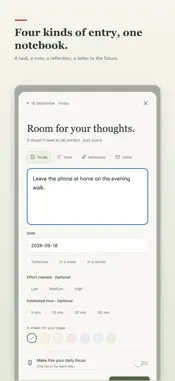
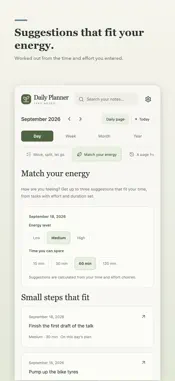
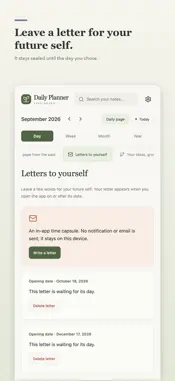
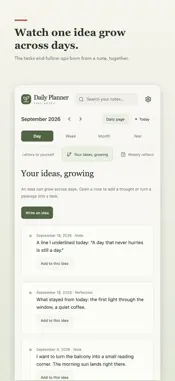
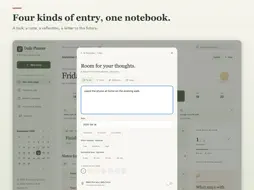
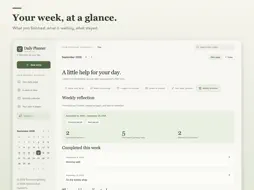
Daily Planner is a simple daily planner for your to-dos and notes: one page per day, one clear focus, and a quick place for every to-do and thought. No account, no clutter. ADD IN A SECOND Type a to-do on today's page and press Return. The next line is ready, so a whole list takes seconds. Not sure where to start? Pick "Today's priority", "On my mind" or "For tomorrow". Close a half-written entry and it waits for you as a draft. ONE FOCUS A DAY Pin the single thing that matters today. A new focus only replaces that day's previous one, so the page never fills up with priorities. FOUR KINDS OF ENTRY To-dos, free notes, reflections and letters to your future self. Progress counts open to-dos only, so a note never turns into a chore. PLAN TODAY, WRAP UP TONIGHT Writing streak: see how many days in a row you have written. Close the day: in the evening, move open to-dos to tomorrow, so tomorrow's page is ready when you wake up. Weekly recap: what you finished, what is still open, and the moments worth remembering. Daily reminder: optional, at the hour you choose. A TIME WHEN YOU NEED ONE Give any to-do an optional time and get an alert when it is due. Bring unfinished to-dos from earlier days over to today. DAY, WEEK, MONTH, YEAR Move between four calendar views, open any day's page and search everything you have written. EXPLORE - SMALL TOOLS FOR REAL DAYS Move, split, let go: carry an unfinished task to another day, break it into steps, or set it down on purpose. Nothing is deleted. Match your energy: up to three suggestions based on how you feel and how much time you have. A page from the past: revisit what you wrote a month and a week ago, and note what has changed. Letters to yourself: leave a few lines that stay sealed until a future date. Your ideas, growing: follow the tasks and entries that grew out of one note. Weekly reflection: what you completed, what is waiting, and what you postponed again. YOUR NOTES STAY ON YOUR DEVICE Everything is saved on your device, with no account. Your notes are never uploaded. Export a free backup file whenever you like and restore it on a new phone. IN YOUR LANGUAGE English, Spanish, Portuguese, German, French and Turkish. DAILY PLANNER PRO Writing notes and to-dos is always free. Every tool is free for your first 3 days. Pro removes all ads and unlocks Letters to yourself, A page from the past, Weekly reflection and Match your energy. Choose Pro Yearly with a 7-day free trial, Pro Monthly, or a one-time Lifetime purchase. Subscriptions renew automatically unless cancelled at least 24 hours before the end of the current period; payment is charged to your Apple Account, and you can manage or cancel subscriptions in your App Store account settings. The free version is supported by ads. Terms of Use: https://m2lab.tech/en/daily-planner/terms Privacy Policy: https://m2lab.tech/en/daily-planner/privacy
What's New
Version 1.0.10 2026-10-27
- A calmer first day: the app opens straight on today's page - Quick add: type a to-do and press Return; starter prompts help you begin - Half-written entries w... Technical Analysis
Package Overview Basic metadata
Bundle ID
com.deploiers.dailyplanner Current Version 1.0.10
Minimum iOS 15.1
Package Size App Store Size
Package Metadata 0 / 2 version records
Detailed binary, privacy manifest, framework, and Info.plist results have not been indexed for this package yet. The verified App Store and archive metadata above remains available.
Developer Information
Known Version Records
0 version records with stored package metadata • 2 known version records
Stored metadata does not guarantee a package is currently available to download.
| Details | Version / IDs | Version date | Action |
|---|---|---|---|
| Not archived | App Store ID: 880511865 | Unknown | Request Version |
| Not archived | App Store ID: 880346946 | Unknown | Request Version |