Preview






Description
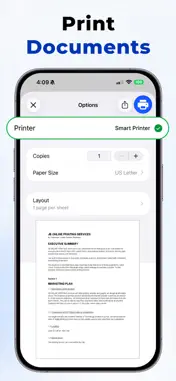
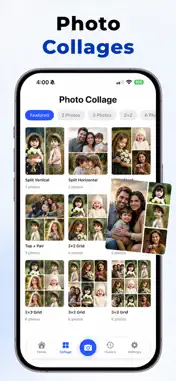
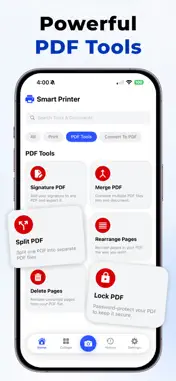
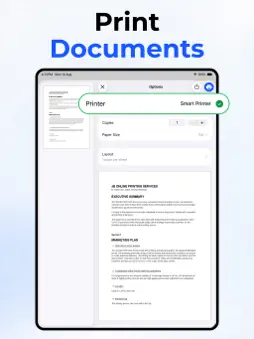
Smart Printer App Smart Printer is an all-in-one printing and PDF productivity app designed to simplify the way you handle documents on iPhone and iPad. From printing files and scanning pages to editing PDFs and converting formats, Smart Printer helps you complete everyday tasks quickly from one convenient place. Whether you're a student, office worker, business owner, or someone who simply prints and manages documents often, Smart Printer gives you the tools to stay organized and productive. You can print, sign, merge, split, protect, and convert files with an experience that feels smooth, modern, and easy to use. Print Documents Select PDF files from your device and print them in just a few taps. It is a simple and efficient way to handle important documents anytime. Print Photos Choose images from your gallery and print them directly from the app. Perfect for memories, personal use, or quick photo copies. Scan & Print Use your camera to scan paper documents and send them to print easily. This helps turn physical pages into clean digital copies in seconds. iCloud File Printing Access files stored in iCloud and print them without extra steps. It makes cloud-based document handling fast and convenient. Print Web Pages Open and print web pages directly from within the app. Great for articles, receipts, forms, and online information you want on paper. Notes to Print Write quick notes inside the app and print them instantly. Useful for reminders, study notes, lists, and office tasks. Draw & Print Create sketches, handwriting, or simple drawings and print them right away. A fun and practical tool for creativity and quick visual ideas. Sign PDF Add your signature to important PDF documents with ease. Ideal for forms, approvals, agreements, and official paperwork. Merge PDF Combine multiple PDF files into one organized document. This is helpful when you want all related pages in a single file. Split PDF Break one PDF into separate documents in a quick and simple way. Useful when you only need certain pages from a larger file. Rearrange Pages Change the order of PDF pages however you want. This gives you better control over how your final document is structured. Delete Pages Remove unwanted pages from a PDF without needing another editing tool. It helps keep your files clean and relevant. Lock PDF Protect your PDF files with a password for added privacy. A useful feature when sharing personal, business, or confidential documents. Photo to PDF Convert images into PDF files in a few taps. Great for creating shareable documents from photos, receipts, or scanned pages. Word to PDF Turn Word documents into PDF format for easier sharing and printing. Helps preserve formatting and improve compatibility. PPT to PDF Convert presentation files into PDFs for more convenient viewing and distribution. Useful for meetings, classes, and client sharing. Excel to PDF Transform spreadsheets into PDF files for neat and professional output. Perfect for reports, tables, and business records. PDF to Photos Export PDF pages as images for flexible sharing and reuse. Helpful when you need visual versions of document pages. Why Choose Smart Printer? Smart Printer combines printing, scanning, PDF tools, and file conversion into one easy app. It saves time, reduces hassle, and gives you more control over your documents. Note: To continue enjoying unlimited access to all premium features, users can purchase a subscription plan through the app. Privacy Policy https://sites.google.com/view/urbanappsprivacy
Terms of Use https://sites.google.com/view/urbanappstermsofuse
What's New
Version 1.1 2026-09-04
- Minor Bug Fixed Technical Analysis
Package Overview Basic metadata
Bundle ID
com.pagevia.doc.app Current Version 1.1
Minimum iOS 17.6
Package Size App Store Size
Package Metadata 0 / 0 version records
Detailed binary, privacy manifest, framework, and Info.plist results have not been indexed for this package yet. The verified App Store and archive metadata above remains available.
Known Version Records
0 version records with stored package metadata
Stored metadata does not guarantee a package is currently available to download.
| Details | Version / IDs | Version date | Action |
|---|