Preview




Description
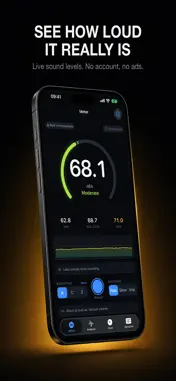
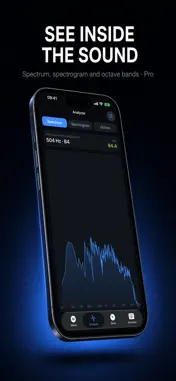
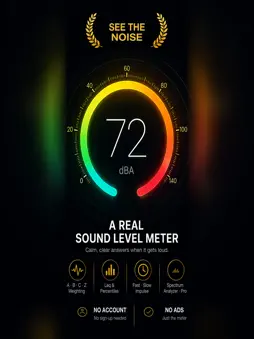
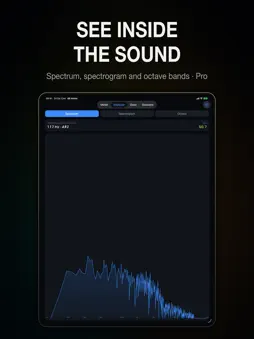
Noise bothering you at home or at work? Sonark shows you how loud it really is, keeps a record you can look back on, and turns it into a report you can share. The live meter is free and unlimited: no account, no ads. Sonark Pro adds recording and saved sessions, the analyzer, noise dose, sound labeling, file import and report export. MEASURE WITH CARE • A, B, C and Z frequency weighting • Fast (125 ms) and Slow (1 s) time weighting, plus Impulse (35 ms rise, 1.5 s decay) • Live level, Leq, Lmin, Lmax and peak level • L10, L50 and L90 percentile levels to summarize changing noise • Everyday sound examples to put each reading in context KEEP A RECORD (PRO) A screenshot shows a moment; a report brings your recorded measurements together. Sonark turns a session into a timestamped PDF with the level chart, Leq, Lmax and the percentiles, the measurement conditions and calibration state, and the place when you choose to add it. Log a neighbor, a building site or a workplace over days or weeks and combine the sessions into one document. FOR PEOPLE WHO WORK WITH SOUND (PRO) • Spectrum analyzer with FFT up to 16,384 points, selectable windows, averaging and peak hold • Spectrogram, and 1/1 and 1/3 octave RTA on IEC 61260 band centers • NIOSH and OSHA noise dose estimates on A-weighted levels, kept separate and labeled • External microphone calibration, with multiple saved profiles • Import a voice memo, a recording or a video and measure its levels, statistics and sounds offline (levels are relative unless you enter a known reference offset) ALSO IN THE BOX A free Apple Watch app that measures on its own. With Pro: a widget summarizing today's saved measurements and estimated dose, a Live Activity while you record, optional Apple Health logging of saved sessions, and on-device sound labeling that marks an overnight session with the likely source of detected sounds — snoring, traffic, a door — without sending audio anywhere. BEING STRAIGHT WITH YOU Sonark displays a minimum of 30 dB; readings depend on the microphone, the device and calibration. Sonark implements A, C and Z frequency weighting and Fast and Slow time weighting as described in IEC 61672-1, but it is not a certified Class 1 or Class 2 sound level meter, and its dose figures are estimates, not a medical assessment. SONARK PRO Weekly, yearly or a one-time lifetime purchase. Where an introductory free trial is offered, the paywall shows it and the renewal price before you start. Support: https://app.notion.com/p/Support-Sonark-3b00cc7ee736804fa53ecd76325f072f?source=copy_link Privacy Policy: https://app.notion.com/p/Privacy-Policy-Sonark-3b00cc7ee736809fae52f1a2746b951f?source=copy_link Terms of Use: https://www.apple.com/legal/internet-services/itunes/dev/stdeula/
What's New
Version 1.1 2026-10-25
What's new in 1.1 • Spectrum analyzer (Sonark Pro): your FFT size, window function and averaging settings now apply to the live spectrum, with an optional peak-... Technical Analysis
Package Overview Basic metadata
Bundle ID
com.mami.sonark Current Version 1.1
Minimum iOS 17.0
Package Size App Store Size
Package Metadata 0 / 0 version records
Detailed binary, privacy manifest, framework, and Info.plist results have not been indexed for this package yet. The verified App Store and archive metadata above remains available.
Known Version Records
0 version records with stored package metadata
Stored metadata does not guarantee a package is currently available to download.
| Details | Version / IDs | Version date | Action |
|---|