Preview




Description
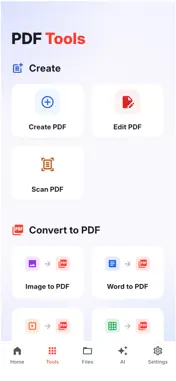
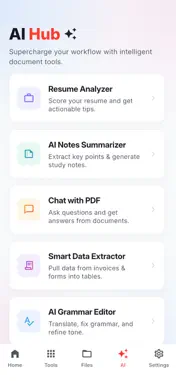
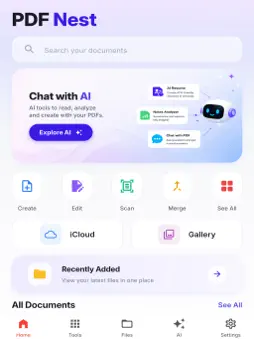
PDFNest: Your Complete Document Solution Manage all your documents in one app. Whether you need to read PDFs, edit documents, scan files, convert images, merge files, split pages, or add your signature, PDFNest provides everything you need to stay productive wherever you are. Designed for students, professionals, business owners, and everyday users, PDFNest combines powerful PDF tools with a clean and pleasant interface that makes document management fast and effortless. Modify your PDF documents. • Edit PDF text • Underline and strike through text • Insert images into PDFs • Organize document pages Enjoy a comfortable reading experience. • Fast PDF loading • Smooth scrolling • Recent document history Turn paper documents into high quality PDFs. • Scan receipts • Scan contracts • Scan invoices • Scan notes • Scan IDs • Scan certificates Convert between popular document formats. • Images to PDF • PDF to Images • Word to PDF* • Excel to PDF* • PowerPoint to PDF* • Text to PDF Organize PDFs files efficiently. • Merge multiple PDFs • Split PDF pages • Rearrange pages • Rotate pages • Delete pages • Duplicate pages • Compress PDF files Sign Documents without printing. • Create digital signatures • Draw your signature • Insert saved signatures • Add text fields Protect Your Files Keep your documents secure. • Password protected PDFs* • Lock sensitive files • Secure local storage Why Choose PDF? • Beautiful and modern interface • Fast document processing • High quality PDF rendering • Easy to understand tools • Suitable for work, school, and personal use Whether you're reviewing contracts, completing school assignments, scanning receipts, signing forms, or organizing business documents, PDFNest helps you get the job done quickly and efficiently. Privacy policy: https://muhammadtalhaapps.blogspot.com/p/privacy-policy.html Terms of use: https://www.apple.com/legal/internet-services/itunes/dev/stdeula/
What's New
Version 1.0.4 2026-08-25
Enhanced PDF management Smoother document processing Improved user interface for easier navigation Technical Analysis
Package Overview Basic metadata
Bundle ID
com.pdf.reader.document.converter.image Current Version 1.0.4
Minimum iOS 15.0
Package Size App Store Size
Package Metadata 0 / 0 version records
Detailed binary, privacy manifest, framework, and Info.plist results have not been indexed for this package yet. The verified App Store and archive metadata above remains available.
Developer Information
Known Version Records
0 version records with stored package metadata
Stored metadata does not guarantee a package is currently available to download.
| Details | Version / IDs | Version date | Action |
|---|