
Preview


Description
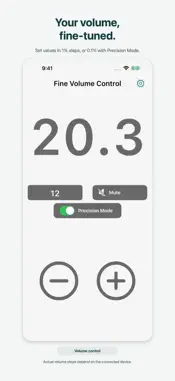
Fine Volume Control lets you adjust iPhone system volume in small steps from within the app. It is not a volume booster. Key features • On-screen controls in 1% steps • Precision mode with 0.1% steps • Mute • Save frequently used volume levels as presets with names and icons • Customize the colors of the standard design • Access presets from Home Screen and Lock Screen widgets • Apply saved presets with Shortcuts • Use Safety Max to limit volume values set through the app The app sends volume values to the iPhone in 1% or 0.1% steps. The smallest change and available range actually applied depend on the iPhone and the connected earphones, speakers, or other audio device. The side buttons continue to use the iPhone’s standard volume steps. Free and Pro The free version includes the standard design, color customization, one preset with a name and icon, widgets, and Shortcuts. You can also turn Safety Max on or off for free. Pro unlocks additional designs, including Zen Garden and Sky, up to six presets, changes to the legacy widget’s dedicated volume value, and changes to the Safety Max limit. Widgets and Shortcuts Widgets for selecting saved presets require iOS 17 or later. Choose a saved preset or the legacy widget’s dedicated volume value. Tapping a widget opens the app and applies the volume. Applying saved presets with Shortcuts requires iOS 17 or later. Naming a preset “Sleep” does not create a schedule, timer, or automatic action. Control Center On iOS 18 or later, add a dedicated control to access a selected preset. Using the control opens the app and applies the saved volume. Safety Max When enabled, Safety Max limits volume values set through the app. A brief notice appears on the main screen when the requested volume exceeds the limit. Changing the limit requires Pro. Sky Switch between Sunrise and Moonrise, then drag up or down on the sky to adjust the volume. Bluetooth and external audio devices Depending on the device and connection method, fine values requested by the app may be applied in larger steps.
What's New
Version 1.11.0 2026-10-06
- Give your volume presets names and icons. - Choose and apply saved presets from new Home Screen and Lock Screen widgets or Shortcuts. - Access presets from a ... Technical Analysis
Package Overview Basic metadata
Bundle ID
com.reitouhozonn.volumeChanger Current Version 1.11.0
Minimum iOS 16.6
Package Size App Store Size
Package Metadata 1 / 16 version records
Detailed binary, privacy manifest, framework, and Info.plist results have not been indexed for this package yet. The verified App Store and archive metadata above remains available.
Known Version Records
1 version record with stored package metadata • 16 known version records
Stored metadata does not guarantee a package is currently available to download.
| Details | Version / IDs | Version date | Action |
|---|---|---|---|
| 31.51 MB | v1.10.1 App Store ID: 889268018Build: 1.10.1 | 2026-08-26 07:29:03 | Get Version |
| Not archived | App Store ID: 887710240 | Unknown | Request Version |
| Not archived | App Store ID: 885113799 | Unknown | Request Version |
| Not archived | App Store ID: 884261026 | Unknown | Request Version |
| Not archived | App Store ID: 883908681 | Unknown | Request Version |
| Not archived | App Store ID: 882527837 | Unknown | Request Version |
| Not archived | App Store ID: 877131969 | Unknown | Request Version |
| Not archived | App Store ID: 875854798 | Unknown | Request Version |
| Not archived | App Store ID: 875046522 | Unknown | Request Version |
| Not archived | App Store ID: 874972038 | Unknown | Request Version |
| Not archived | App Store ID: 874002189 | Unknown | Request Version |
| Not archived | App Store ID: 871336922 | Unknown | Request Version |
| Not archived | App Store ID: 869649073 | Unknown | Request Version |
| Not archived | App Store ID: 869086797 | Unknown | Request Version |
| Not archived | App Store ID: 868379234 | Unknown | Request Version |
| Not archived | App Store ID: 865924084 | Unknown | Request Version |