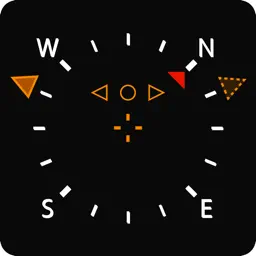
Preview
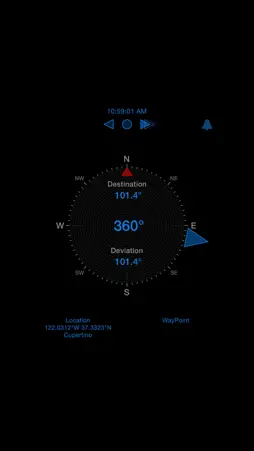
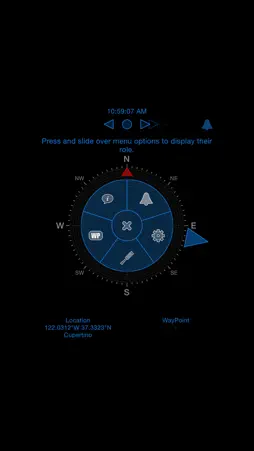






Description
AudioGPS is a simple and efficient compass and GPS tracking application. You can set a course by rotating a cursor around the compass. The direction to follow is then indicated visually on the compass, given by figures, and also by an audio feedback. • A high tone periodical beep indicates you're on the right way. • A medium tone, faster beep indicates you deviate from your target heading. - The more you deviate, the faster is the beep. If you have a headset, or if you are plugged on your car speakers : - If the beep is played in the right ear, that means you have to turn right. - If the beep is playing in the left ear, you have to turn left. • The fastest, low tone beep means you go in the opposite direction. The direction to take is also shown by animated indicators. • Slide horizontally outside of the compass area to change map brightness • Slide vertically outside of the compass area to change map zoom • Tap or slide in the central area to change display. • Tap with two fingers in the central area (or slide up) to display the menu • Tap on location fields to edit your current location ( simulation ) or edit the waypoint ( if feature is enabled ) --------------------------------------------------------------- Free Version Features: • Clean compass. • Indicates the deviation from a given course • Course can be set manually a rotating cursor • Interface Sound, Feedback and Map ( All options can be turned off for battery preservation ). • Dark Interface for better readability, specially if used while driving in the dark. • Variable map brightness Full Version Features • Course can be set by selecting a point on the map, or by entering coordinates or address. • Compass can be calibrated by referring to a visual mark and map, assuring you the indicated heading is correct and precise in one point, even in case of magnetic perturbations. You can find more info on the AudioGPS web page : https://www.moosefactory.eu/audiogps
What's New
Version 1.25 2017-04-17
This app has been updated by Apple to display the Apple Watch app icon. - Improved iOS10 compliance - Fixed some stability and layout issues Technical Analysis
Package Overview Basic metadata
Bundle ID
com.moosefactory.audiogps Current Version 1.25
Minimum iOS 8.0
Package Size App Store Size
Package Metadata 0 / 7 version records
0.0 / 5.0 (0 ratings)
Detailed binary, privacy manifest, framework, and Info.plist results have not been indexed for this package yet. The verified App Store and archive metadata above remains available.
Developer Information
Known Version Records
0 version records with stored package metadata • 7 known version records
Stored metadata does not guarantee a package is currently available to download.
| Details | Version / IDs | Version date | Action |
|---|---|---|---|
| Not archived | App Store ID: 841486750 | Unknown | Request Version |
| Not archived | App Store ID: 816654804 | Unknown | Request Version |
| Not archived | App Store ID: 812269965 | Unknown | Request Version |
| Not archived | App Store ID: 812144853 | Unknown | Request Version |
| Not archived | App Store ID: 812123976 | Unknown | Request Version |
| Not archived | App Store ID: 811966683 | Unknown | Request Version |
| Not archived | App Store ID: 810781468 | Unknown | Request Version |